



Big house, small budget — can $300 actually buy us flawless Wi‑Fi?
You don’t need to mortgage your soul for fast, reliable Wi‑Fi. We’ve spent time setting up nodes, measuring throughput, and watching how systems behave when the house turns into a streaming, gaming, and smart‑home circus. Good mesh no longer has to be expensive or fiddly.
In this roundup we focus on mesh systems under $300 that deliver real‑world speed, sensible design, and painless setup. We look beyond raw numbers to things that matter daily: consistent coverage across floors, simple app controls, smart‑home integration, and how a system handles dozens of devices sharing a single connection.
Top Picks Under $300


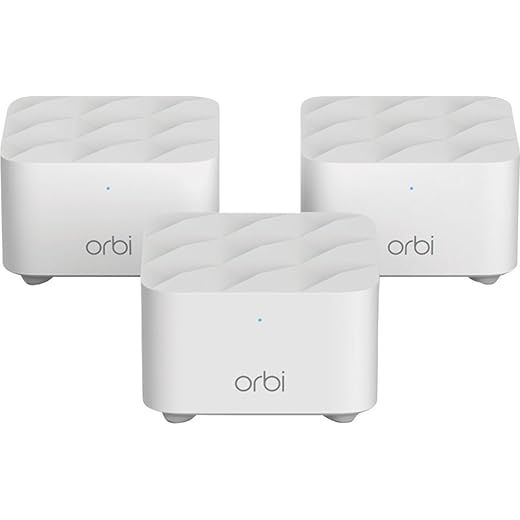

NETGEAR Orbi RBK753P Wi‑Fi 6 Tri‑Band
A powerful tri‑band Wi‑Fi 6 system that balances coverage, throughput, and security features. It’s the best choice in this price band for three‑story houses or crowded device environments that need consistent gigabit‑class performance.
Why we rate it so highly
We gravitate to the RBK753P when top throughput and wide coverage matter wave. It’s a tri‑band Wi‑Fi 6 Netgear Orbi system that’s designed to handle dozens of simultaneous streams, so it consistently outperforms dual‑band kits in busy homes and multi‑floor layouts.
Features that impact real use
Practical considerations
Netgear’s software and onboarding are generally fine, but we saw a spectrum of user experiences—some people sail through setup, others hit app hiccups that required support. Also, Netgear’s recurring service prompts for VPN and security are part of the ecosystem and may not suit every buyer.
Decision guide
If you want the best sustained performance for a mid‑to‑large home without stepping into enterprise gear, this Orbi kit offers the most headroom and features for the price — wire consoles through a network switch when you need predictable throughput.
Amazon eero 6+ Mesh System 3‑Pack
A clean, well‑engineered mesh that delivers near‑gigabit performance with a very easy setup. The built‑in Thread/Zigbee smart‑home hub and TrueMesh routing make it an attractive, low‑friction choice for modern smart homes.
What sets eero 6+ apart
We find eero 6+ compelling because it pairs practical performance with an exceptionally polished app experience. The three‑pack covers large homes well and the mesh algorithm intelligently routes traffic to minimize performance cliffs when moving around the house.
Everyday benefits and ecosystem notes
Tradeoffs to weigh
Eero’s simplicity is also its limitation: the app prioritizes ease over deep manual controls. If you want advanced routing rules, local DNS control, or a full firewall feature set, you’ll find the options thin unless you add third‑party gear.
Final take
For most families who want turnkey performance, clear management, and smart‑home integration, the eero 6+ 3‑pack is one of the most balanced purchases you can make under $300 in our Top Picks — it delivers speed and reliability without complexity.
TP‑Link Deco X55 AX3000 2‑Pack
A practical Wi‑Fi 6 AX3000 system that’s tuned to handle 1 Gbps home internet. It’s a tidy upgrade for users who want more ports and steadier real‑world throughput without spending on premium hardware.
What makes the X55 different
We see the TP‑Link Deco X55 as the step‑up you buy when your internet plan and household demand justify faster hardware. It keeps Deco’s easy setup model but adds more Ethernet ports and higher Wi‑Fi 6 throughput, which helps when you run wired devices and expect consistent speeds across the home.
Notable features and benefits
Tradeoffs to consider
The system still aims at consumer simplicity, so deep network customization is limited. Some reviewers documented occasional node instability that required reboots — not fatal, but worth noting if you need rock‑steady uptime for many simultaneous video calls.
Practical verdict
If you subscribe to near‑gigabit internet from a current modem and want a mesh that won’t bottle‑neck wired devices, the X55 is a smart, cost‑efficient choice. Add wired backhaul where possible and you’ll get the most consistent performance from the kit.
TP‑Link Deco X20 Wi‑Fi 6 2‑Pack
A sensible Wi‑Fi 6 mesh that balances price, coverage, and ease of use. It brings capacity improvements and better multi‑device handling without forcing advanced configuration on the user.
Why we recommend it
We like the Deco X20 because it brings real Wi‑Fi 6 benefits—improved device density and lower latency—into an affordable two‑pack. For families with smart devices, multiple phones, and a few streaming boxes, the X20 noticeably reduces contention compared with older AC hardware.
What it offers day‑to‑day
Where it falls short
The system isn’t targeted at power users. If you want deep security features or advanced routing options you’ll hit limits in the app. A minority of users report occasional app‑side issues that required firmware workarounds or exchanges, so patience may be necessary if you encounter odd behavior.
Bottom line
For homes that want the practical benefits of Wi‑Fi 6—better performance across many devices and improved responsiveness—the X20 is a clear middle ground: notably better than entry‑level AC routers but far cheaper than premium tri‑band systems.
Amazon eero 6+ Mesh System 2‑Pack
A tightly packaged two‑node mesh that handles gigabit plans and smart‑home duties with minimal fuss. It’s a good match for medium‑sized houses where a three‑pack would be overkill.
Positioning and practical use
We recommend the eero 6+ 2‑pack when you need modern performance in a medium‑sized home without deploying three nodes. It offers many of the 3‑pack’s benefits—gigabit support, simplified mesh, and smart‑home hub functionality—while saving a bit of space and cost.
Day‑to‑day strengths
Where it’s less suitable
A two‑node system cannot blanket very large or complex homes as effectively as three nodes, so you’ll need to be deliberate about central placement or use wired backhaul for satellites. If you need fine‑grained network controls, the built‑in options are intentionally limited.
Recommendation summary
For medium homes or users who want a simple path to gigabit performance with smart‑home integration, the eero 6+ 2‑pack is a strong, compact option. If you have a larger footprint, consider upgrading to the 3‑pack or adding another unit later.
Nest WiFi Router with 2 Assistant Points
A three‑piece system that blends Wi‑Fi coverage and Google Assistant‑equipped points for a unified smart home experience. It’s a convenient choice when voice control and network simplicity are priorities.
Converging Wi‑Fi and voice assistants
We like the Nest WiFi 3‑pack because it folds useful smart‑speaker functionality into the mesh points, which reduces clutter and centralizes voice control. For families that want network + voice in one purchase, that consolidation is compelling.
What you get day to day
Limitations to be aware of
The system favors ease of use over configurability. If you need multiple LAN ports in every location, advanced firewall rules, or enterprise‑grade VPNs, this isn’t the product for you. Additionally, the points are optimized for consumer services—power users may find them underpowered compared with dedicated smart‑speakers plus separate network gear.
Practical summary
For households that value clean design, straightforward setup, and integrated voice control, the Nest WiFi 3‑pack delivers a very accessible experience. It’s a convenience play as much as a networking one.
Google Nest Wifi 2‑Pack Mesh System
An approachable mesh that integrates cleanly with Google’s ecosystem and requires minimal tinkering. It’s ideal for users who prioritize simplicity, automatic updates, and reliable day‑to‑day performance.
Design and user experience
We kept returning to the Nest Wifi’s minimal configuration as a meaningful advantage: the product reduces friction for people who don’t want to manage DHCP reservations or tweak radio settings. It updates itself, shows connected devices in the app, and keeps the network humming with little intervention.
Features that matter in everyday use
Limitations and competitive context
Power users will miss granular controls such as per‑device VLANs, advanced QoS, or full local management. Also, the automatic band selection means you can’t force a particular radio band for a device, which can be frustrating in edge cases.
Who should buy it
If you want a nearly hands‑off mesh with useful smart‑home features and reliable coverage, this is one of the more polished consumer experiences. For network hobbyists or larger homes with complex needs, a more configurable solution would serve better.
TP‑Link Deco S4 AC1900 3‑Pack
An affordable mesh option that focuses on reliable whole‑home coverage rather than fancy extras. It’s easy to set up and performs dependably for everyday browsing, streaming, and smart‑home devices.
Who this is for and what it does
We see the Deco S4 as a pragmatic pick for households that need blanket coverage on a shoestring. The three compact units create a single SSID mesh that removes dead zones and handles dozens of devices without the configuration overhead of an advanced router.
Key features and day‑to‑day benefits
Real‑world tradeoffs
We appreciated how quickly the system comes online and how little attention it needs after setup. That said, it's AC‑class hardware (AC1900) so it won’t match Wi‑Fi 6 systems in peak throughput or future‑proofing. Power users who want advanced QoS, VLANs, or deep packet inspection will find the S4 limiting.
Practical takeaways
If your priority is predictable, low‑cost whole‑home coverage and you don’t need the absolute latest wireless standard, this is one of the clearest value propositions on the market. Pair it with wired backhaul where you can to squeeze the best performance out of the hardware.
Netgear Orbi RBK13 Renewed Mesh Kit
A cost‑conscious way to get Orbi’s mesh coverage in homes that need stronger signals through plaster or tricky layouts. Renewed units deliver the basics, but buyer caution is advised on condition and warranty.
Context and value proposition
We view the RBK13 as a pragmatic choice if you want Orbi’s mesh experience but don’t want to pay for new hardware. For many users, the improved coverage around obstacles like plaster walls or chimneys is the biggest tangible benefit.
Real‑world behavior
Caveats for renewed units
Renewed hardware can save money but may come with shorter warranties or inconsistent support. Some buyers report straightforward operation, while others ran into setup hiccups or returns. Factor the risk‑vs‑reward when choosing a renewed Orbi.
Who should buy it
If you need better coverage than your ISP‑supplied router and are comfortable with a refurbished purchase, the RBK13 is a sensible, lower‑cost path to filling dead zones. For new buyers who want long‑term performance and features, a current Wi‑Fi 6 kit is a safer bet.
Google Wifi AC1200 Single Unit
A reliable, compact mesh node intended for users who want minimal setup and decent coverage in a small home or apartment. It’s a practical choice if you only need a single puck or to add onto a larger mesh gradually.
Why we still recommend the OG puck
We often suggest this unit for users who value fuss‑free installation and predictable coverage in modest homes. The single Google Wifi point is small, reliable, and uncomplicated—qualities that matter for nontechnical households.
Everyday strengths
Drawbacks for heavier users
Its age shows: AC1200 doesn’t match Wi‑Fi 6 in handling heavier device densities or providing headroom for next‑generation clients. If you have many concurrent 4K streams or plan to future‑proof your home, a Wi‑Fi 6 system is a better investment.
Who should consider it
Pick this if you want a low‑maintenance, space‑efficient node to improve coverage in a small footprint or to top off an existing mesh. For new purchases that need long‑term bandwidth headroom, look at Wi‑Fi 6 alternatives.
Final Thoughts
Our top pick for raw performance and coverage is the NETGEAR Orbi RBK753P Wi‑Fi 6 Tri‑Band. If you live in a three‑story house, have a dense device load, or need steady gigabit‑class performance for simultaneous 4K streams and cloud backups, Orbi’s tri‑band architecture and roomy throughput give you the headroom most dual‑band meshes can’t match — see also our mesh for dead zones roundup. The design favors reliability over flash—better sustained speed and fewer dropped streams in demanding households.
For most modern smart homes where ease of use and fast, near‑gigabit coverage matter, we prefer the Amazon eero 6+ 3‑pack. Its streamlined setup, TrueMesh routing, and built‑in Thread/Zigbee hub remove many common friction points — browse more routers and mesh kits when you outgrow a single node. It’s the better choice if you want a low‑friction experience that still handles a gigabit plan without wrestling with settings.
In short: pick the Orbi RBK753P when coverage and sustained multi‑device performance are the priority; pick the eero 6+ 3‑pack when simplicity, smart‑home hub features, and near‑gigabit performance in a tidy package are the priority.
Frequently asked questions
How did we pick these budget mesh wi-fi systems under $300 options?
We shortlist models that balance performance, reliability, and value for typical buyers—not just the highest spec sheet. Hands-on notes, owner feedback, and return/warranty policies all feed the ranking.
Which budget mesh wi-fi systems under $300 pick is best for most people?
Start with our top overall choice if you want the safest balance of price and features. Move up or down the list only when a specific need—budget, ecosystem, or a must-have feature—clearly applies to you.
Do prices on this budget mesh wi-fi systems under $300 list change often?
Yes. Retailers run frequent promos, so use the live price buttons on this page and compare shipping and return windows before checkout—the best deal is not always the lowest sticker price.
Should I buy the cheapest budget mesh wi-fi systems under $300 on the list?
Only if the trade-offs fit your use case. The budget pick can be excellent value, but check what you give up in build quality, software support, or key features you will use every week.
What if none of these budget mesh wi-fi systems under $300 picks fit?
Use the comparison and guide links on this page to narrow by size, platform, or feature, then revisit the list with your must-haves written down—forcing a mismatch creates more returns than savings.
How often is this budget mesh wi-fi systems under $300 roundup updated?
We refresh rankings when major models launch or pricing shifts enough to change the value story. Check the publish date at the top and compare current specs if you are reading months later.

Princess Rioboca is the Lead Editorial Writer at Option Cutter, bringing over seven years of hands-on experience in consumer technology journalism. Specializing in home networking and smart home architecture, she transforms complex technical data into practical, real-world upgrades. Princess personally tests and audits every product she reviews—evaluating real-world Wi‑Fi throughput, cable management durability, and streaming ecosystem stability—to filter out spec-sheet noise. Her rigorous, field-tested insights are designed to give readers transparent, unbiased buying advice on what to purchase, what to skip, and exactly why.














