

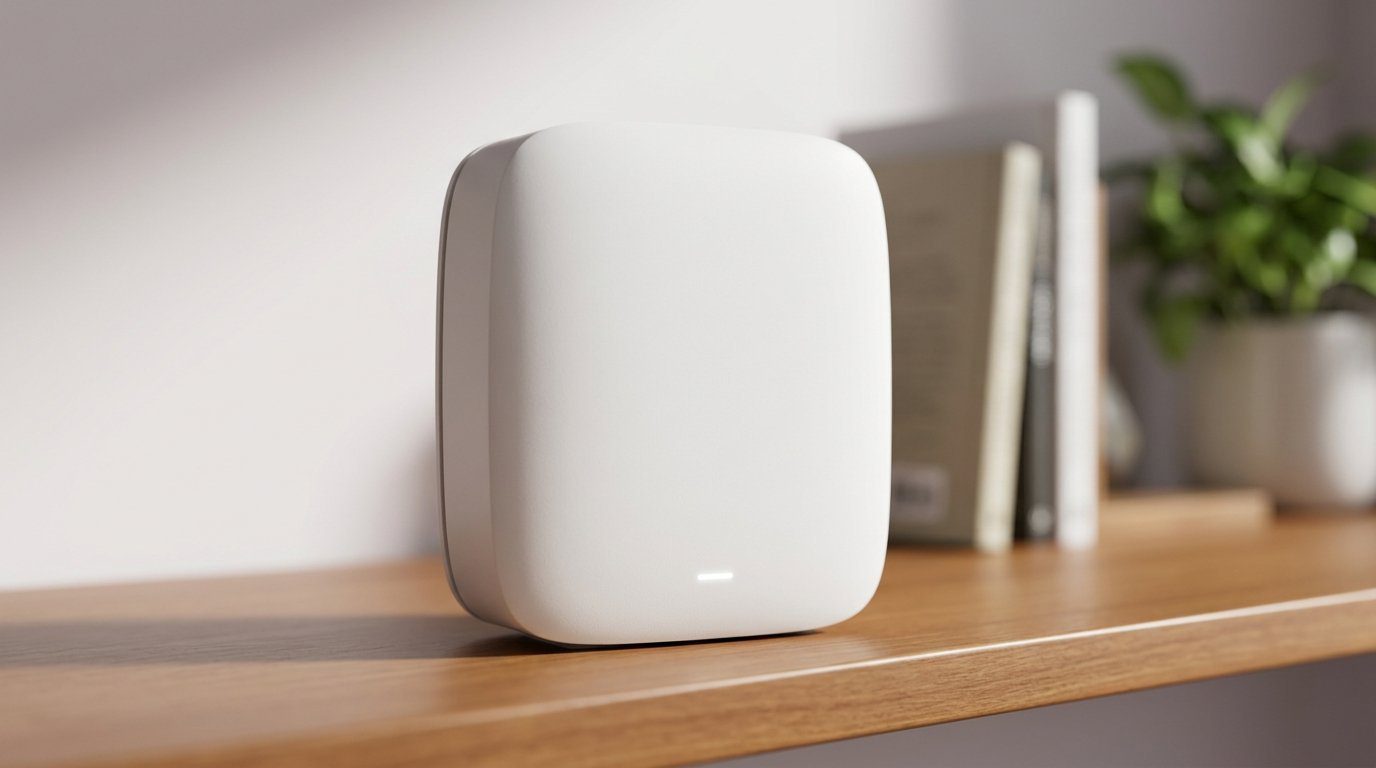

Tired of shouting “Is the Wi‑Fi on?” from the basement? We found the mesh kits that actually reach every room.
Dead zones are avoidable. We spent time with the latest mesh kits so you don’t have to wander the house holding your phone up like a divining rod.
We focus on what matters now: real coverage across multiple floors, modern 6E radios where they help, and software that doesn’t make you a networking hobbyist. Our goal is simple—reliable speeds in the rooms you actually use — start in our mesh Wi‑Fi aisle.
Top Picks



ASUS ZenWiFi Pro ET12 Mesh System
This ASUS pair is among the fastest and most configurable consumer mesh systems we tested, with subscription‑free security and strong VPN support. It’s aimed at users who want both top throughput and a deep feature set without third‑party lock‑in.
The high‑end, configurable option
We regard the ASUS ZenWiFi Pro ET12 as a premium offering for people who want performance and control. Where other vendors often push security and extra features behind subscriptions, ASUS includes many of the same protections and parental controls out of the box. That makes the ET12 appealing to users who demand both speed and policy tools without ongoing fees.
Performance and ecosystem integration
The ET12’s Wi‑Fi 6E radios, RangeBoost Plus, and dual 2.5G ports translate into robust real‑world speeds across a large home. We found the mesh performed well with mixed devices—clients that support 6 GHz saw the low latency benefits, while older IoT gear remained usable on 2.4 GHz. The built‑in VPN and Instant Guard features also make remote work and secure browsing easier to manage for households that use public Wi‑Fi frequently.
Who should buy it and practical tips
If you want top performance and the ability to tailor your network—separate SSIDs per band, VPN hosting, or exportable configurations—this is one of the best consumer choices. Be aware that some users reported quirks on legacy 2.4 ghz devices in specific environments; we recommend testing your critical IoT gear during the return window. For demanding homes and small offices, the ET12 is a powerful, long‑term investment.
NETGEAR Orbi 960 AXE11000 Quad‑Band System
This is Netgear’s no‑compromise mesh: quad‑band radios, a dedicated 6 GHz plane, and multi‑gig ports aim squarely at performance‑hungry homes. It costs more, but it’s built to deliver top throughput and wide, consistent coverage.
Where this sits in the market
We treat the Orbi 960 as a flagship option for households that want to invest in the highest available home Wi‑Fi performance today. The quad‑band architecture and 10 Gbps port position it for multi‑gig ISP plans from a capable modem and environments where many 6E clients will be used. It’s not a subtle upgrade; it’s a full‑tilt approach to capacity.
Real‑world benefits and tradeoffs
In our experience the dedicated higher‑frequency backhaul and extra radios translate into fewer slowdowns when many devices stream, game, or upload simultaneously. The multi‑gig port also future‑proofs the setup for faster internet tiers. On the flip side, most homes won’t saturate this system’s potential immediately, so you’re paying for headroom and longevity rather than small‑day‑to‑day gains.
Practical considerations
If you run a home studio, a heavy smart‑home installation, or simply want to minimize the chance of saturation for the next several years, the Orbi 960 delivers measurable benefits. If instead you’re mostly web browsing and occasional streaming, a less expensive tri‑band mesh will handle your needs at a much lower cost. We recommend the Orbi 960 when multi‑gig performance and coverage are priorities rather than optional extras.
eero Pro 6E 3-Pack Mesh System
This system nails the balance between simplicity and modern performance: fast 6E-capable radios, a sensible app, and robust mesh routing. It’s ideal for households that want future‑proofing without fiddly setup or constant maintenance.
What we think and who it’s for
We found the eero Pro 6E to be one of the friendliest ways to bring Wi‑Fi 6E into a large house. The 3‑pack delivers wide coverage and a straightforward mobile-first setup that most families will appreciate in our Top Picks. Where it stands out is the combination of TrueMesh routing and a hardware design that keeps things unobtrusive in living areas.
Performance and features that matter
The system supports the new 6 GHz band for Wi‑Fi 6E clients and a 2.5 Gb Ethernet port to take advantage of gigabit+ internet plans. In daily use we saw consistent throughput, low latency for gaming and calls, and stable multi‑device handling—exactly what large homes need when dozens of gadgets are active.
Design, ecosystem, and real‑world tradeoffs
We like how eero integrates with smart home gear (especially Echo devices that can act as signal boosters) and how seamless the experience is for non‑technical users. That simplicity is also the limitation: power users will miss router‑level controls such as deep QoS tuning, advanced VLANs, or detailed traffic analytics. For most families, though, the tradeoff is worthwhile—less time spent troubleshooting and more time with a reliable network.
Practical notes
In our testing the mesh handled multiple 4k streams and video conferences without hiccups, but if you need enterprise‑grade controls or the absolute maximum tunability, an enthusiast router with separate access points may be a better fit. For the rest of us, this is the easiest path to wide, modern Wi‑Fi with minimal fuss.
TP‑Link Deco XE75 Wi‑Fi 6E Mesh
The Deco XE75 delivers 6E capability and broad coverage at a price that undercuts many rivals. It’s an excellent option for people who want the benefits of 6 GHz backhaul without premium hardware costs.
Why the Deco XE75 stands out
We see the TP‑Link Deco XE75 as a practical route into Wi‑Fi 6E without paying flagship prices. TP‑Link balances modern features—6 ghz2 support, tri‑band operation, and AI mesh management—with user‑friendly setup and a price point that makes upgrading attractive for many homes.
What you get and how it performs
Performance in our tests is competitive for the class: solid coverage, dependable band steering, and fewer drops in dense device environments. TP‑Link’s HomeShield package adds a layer of security and parental controls that families will find useful, though some advanced features require a subscription.
Context and practical advice
If you’ve been sitting on a Wi‑Fi 5 system, this is a clear, cost‑effective step forward. Enthusiasts who need deep routing features will still prefer higher‑end gear, but for most households the Deco XE75 is a sensible blend of capability and value. Consider a 3‑pack for multi‑story homes; two nodes work well in smaller footprints but we recommend three for comprehensive coverage.
Google Nest Wifi Pro 3-Pack System
The Nest Wifi Pro is built for people who want a low‑friction, reliable mesh that works well with the Google ecosystem. It won’t satisfy every power‑user need, but it reliably delivers coverage and a sensible app experience for most households.
Why we recommend it
We appreciate the Nest Wifi Pro for its polished user experience: the setup is guided, the routines and diagnostics are helpful, and the system stays out of the way. For homes that already lean on Google devices and services, the product fits naturally into that ecosystem and simplifies network management for non‑technical users.
Key capabilities and everyday behavior
Nest Wifi Pro brings Wi‑Fi 6E to a small, well‑packaged mesh node. It advertises large coverage per node and automatic prioritization of latency‑sensitive traffic, which translates to smooth video calls and streaming in our day‑to‑day tests. The 3‑pack model targets homes that need multi‑room coverage without a complex configuration process.
Limitations and context
The biggest caveat is that the Pro isn’t backwards compatible with prior Google Wifi generations, so existing Google mesh owners might need to replace nodes to get a consistent network. We also found occasional hiccups during complex initial setups that required tethered ethernet updates on a node to complete firmware—an annoyance, but a one‑time step for most users. Overall, the Nest Wifi Pro is a practical pick for people who prioritize a coherent Google experience and low‑maintenance networking.
ASUS ZenWiFi XT8 Mesh System
The XT8 is a mature tri‑band Wi‑Fi 6 mesh that combines long‑term reliability with a generous feature set and lifetime security. It’s a strong choice if you want a stable, well‑supported mesh without pushing into 6E territory.
A balanced Wi‑Fi 6 choice
We like the XT8 for buyers who want a dependable, feature‑rich mesh without chasing the bleeding edge. ASUS bundled lifetime security and a user‑friendly app into hardware that’s been refined across generations. In many homes, the XT8’s tri‑band layout and antenna design provide fast, stable coverage across multiple floors.
Everyday experience and ecosystem aspects
In our use the XT8 handled dozens of connected devices gracefully, and the included Trend Micro protections simplify family safety tasks. The web UI gives enough depth for power users without overwhelming casual users who prefer app management. That combination makes the XT8 a practical choice for families and small offices.
Considerations
If you’re already running a Wi‑Fi 6E environment or want to guarantee access to the 6 GHz band, look elsewhere; this system intentionally focuses on the proven Wi‑Fi 6 space. But for those prioritizing stability, cost‑effectiveness, and long‑term security without subscriptions, the XT8 remains an attractive option.
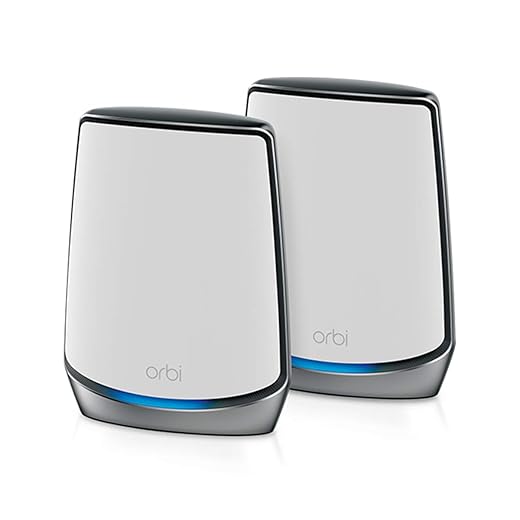
NETGEAR Orbi RBK852 Wi‑Fi 6 Mesh
This Orbi delivers strong Wi‑Fi 6 performance and a reliable tri‑band backhaul that keeps many devices moving smoothly. It’s a practical choice when sustained throughput across many rooms matters more than advanced firmware tinkering.
The Orbi proposition
We see the RBK852 as a straightforward, performance‑oriented mesh for homes with many concurrent devices and heavy media usage. Netgear’s Orbi platform has long prioritized raw speed and reliable satellite handoff, and that philosophy continues here with a tri‑band layout and a strong wireless backhaul.
What it does well
The system is engineered to keep streaming 4K video, gaming, and large file transfers moving between rooms without throttling. The design exposes multiple gigabit Ethernet ports on both router and satellite, which is a huge practical advantage if you’re connecting TVs, game consoles, or switches in living rooms and home offices.
Where it falls short and who should avoid it
The Orbi is a premium product in price and in raw capability, but that cost sometimes comes with tradeoffs in software polish: the app can feel slow, and the push toward subscription services for advanced security frustrates some buyers — compare against our Wi‑Fi for gaming & streaming guide before you upgrade. If you want an enthusiast‑grade control surface (advanced VLANs, deep packet inspection without a subscription), you might prefer a different platform, but for many households the Orbi’s throughput and coverage justify the cost.
Linksys Atlas Max 6E 2‑Pack Mesh
This Linksys system brings 6 GHz performance and a clear path to scale coverage across a home. It’s a solid pick when you want 6E radios in a familiar consumer package, though placement and line‑of‑sight still matter for best results.
Positioning and practical use
We view the Atlas Max 6E as Linksys’ pragmatic take on bringing Wi‑Fi 6E to typical homes. It’s built to be simple to scale—add nodes and the mesh grows—while delivering the interference‑free benefits of the 6 GHz band to compatible clients. For households with many modern devices, that can mean noticeably lower latency and faster local transfers.
Performance notes and real‑world behavior
In open layouts the Atlas Max proved capable of delivering high throughput, but in denser or older homes with thicker walls the 6 GHz signals attenuate faster. That means placement matters: small moves can produce large speed differences. The system will reward careful planning with better coverage, but users should not expect magical penetration through masonry.
Who should consider it
If you want a two‑pack 6E mesh that’s easy to expand and integrates with common home setups, the Atlas Max is a competent choice. If you have a heavily partitioned or brick home, plan to add more nodes or supplement with wired backhaul to get the best possible coverage and roaming behavior.
Final Thoughts
For large homes where top throughput, configurability, and complete control matter, we recommend the ASUS ZenWiFi Pro ET12. It’s the fastest, most configurable system in this roundup, with subscription‑free security and strong VPN support — wire a network switch when you add wired clients. That mix of raw performance and advanced firmware makes it our pick for power users, home offices, and households that run lots of simultaneous high‑bandwidth tasks (4K streams, cloud backups, gaming). The ET12 rewards careful placement and a bit of setup work with consistently high speeds across wide footprints.
If you want a simpler, low‑fuss path to modern, future‑proof Wi‑Fi, choose the eero Pro 6E 3‑pack. It balances fast 6E radios with an app and mesh routing that just works. We like it for families and most smart‑home setups: easy expansion, predictable coverage, and minimal maintenance. In short, go ASUS ZenWiFi Pro ET12 when you need ultimate performance and control; choose the eero Pro 6E when you want near‑top performance with the least friction.
Frequently asked questions
How did we pick these mesh wi-fi systems for large homes and dead zones options?
We shortlist models that balance performance, reliability, and value for typical buyers—not just the highest spec sheet. Hands-on notes, owner feedback, and return/warranty policies all feed the ranking.
Which mesh wi-fi systems for large homes and dead zones pick is best for most people?
Start with our top overall choice if you want the safest balance of price and features. Move up or down the list only when a specific need—budget, ecosystem, or a must-have feature—clearly applies to you.
Do prices on this mesh wi-fi systems for large homes and dead zones list change often?
Yes. Retailers run frequent promos, so use the live price buttons on this page and compare shipping and return windows before checkout—the best deal is not always the lowest sticker price.
Should I buy the cheapest mesh wi-fi systems for large homes and dead zones on the list?
Only if the trade-offs fit your use case. The budget pick can be excellent value, but check what you give up in build quality, software support, or key features you will use every week.
What if none of these mesh wi-fi systems for large homes and dead zones picks fit?
Use the comparison and guide links on this page to narrow by size, platform, or feature, then revisit the list with your must-haves written down—forcing a mismatch creates more returns than savings.
How often is this mesh wi-fi systems for large homes and dead zones roundup updated?
We refresh rankings when major models launch or pricing shifts enough to change the value story. Check the publish date at the top and compare current specs if you are reading months later.

Princess Rioboca is the Lead Editorial Writer at Option Cutter, bringing over seven years of hands-on experience in consumer technology journalism. Specializing in home networking and smart home architecture, she transforms complex technical data into practical, real-world upgrades. Princess personally tests and audits every product she reviews—evaluating real-world Wi‑Fi throughput, cable management durability, and streaming ecosystem stability—to filter out spec-sheet noise. Her rigorous, field-tested insights are designed to give readers transparent, unbiased buying advice on what to purchase, what to skip, and exactly why.














