


Why the right streaming setup matters
We see streaming as a system, not a single box. The device, home network, and TV settings combine to shape speed, reliability, and picture fidelity. Chasing specs alone — Hz, codec charts, or chip names — rarely improves our everyday viewing.
We focus on what actually changes the experience: fewer dropouts, faster app navigation, clearer HDR highlights, and audio that matches the image. Ecosystem fit matters: a device that integrates with our phones, voice assistants, and subscriptions reduces friction.
This guide is practical. We compare sticks, boxes, consoles, and built‑in apps, explain network basics, decode TV picture options, and map audio choices. We prioritize clarity, usability, and long-term value too.


Build a 10/10 Streaming Setup: Quick, Pro Tips
Picking the right streaming device: sticks, boxes, consoles, or built‑in apps
Sticks and dongles: simple, fast, frictionless
Sticks (Fire TV Stick, Chromecast with Google TV, basic Roku models) win on setup speed and remote design: small footprint, quick boot, and remotes that actually fit on the couch. They’re perfect when we want “turn on TV, pick a show” without fuss. Watch for hardware decode—many cheaper sticks still lack AV1 or full 4K HDR licenses—so check codec lists before buying.
Set‑top boxes: horsepower, codecs, and features
Boxes like the Roku Ultra, Apple TV 4K, or premium Android TV devices bring faster UIs, larger app caches, better HDR/Dolby support, and sometimes local storage for downloads. They tend to support Widevine L1, PlayReady, and FairPlay DRM for true 4K HDR playback across services. If you care about AV1 or HEVC hardware decoding (lower bandwidth 4K), prioritize boxes that list that support—this is how services will save you data without sacrificing quality.
Consoles: high‑end streaming with gaming trade‑offs
Consoles (Xbox, PlayStation) deliver fantastic video pipelines and audio passthroughs, but they’re bulky, power‑hungry, and often slower to boot just for streaming. We pick a console if we actually game; otherwise it’s paying gaming‑tax for a competent streamer. Consoles also tend to get fast app updates from major services, but they aren’t optimized for quick remote navigation.
Smart TV apps: convenient, inconsistent
Built‑in apps are the most convenient—no extra box—but their quality varies wildly by TV maker. Some manufacturers skimp on codecs, lag on security patches, or push partner apps into the home screen. If you keep a TV for many years, plan to pair it with a separate streamer to avoid being stuck with a flaky platform.
Ecosystem and practical differences
Who should buy what (quick guide)
Market trend to watch: AV1 adoption and platform consolidation mean codec support and long update policies matter more than ever—buy a device that won’t be obsolete when the next app switch flips on.
Network fundamentals: making Wi‑Fi and wired connections work for streaming
We treat the network as the plumbing behind the living‑room experience: no matter how flashy the streamer, poor plumbing shows up as buffering, pixelation, and a lot of frustrated rewinding. Below we focus on the practical choices that actually move the needle.
Realistic bandwidth and why single numbers mislead
Services list 25 Mbps for 4K HDR, and that’s a baseline. In practice we want headroom: sustained 40–100 Mbps per active 4K device to handle bitrate spikes, HDR metadata, and occasional retransmits. Two simultaneous streams double the need, and background devices (cloud backups, phone updates) quietly erode capacity. And — equally important — latency and packet loss matter more than raw Mbps for smooth start times and adaptive bitrates.
Wired first, then fallback options
Whenever possible, put your primary streamer on Ethernet. A gigabit run eliminates contention, reduces latency, and removes Wi‑Fi variability.
If pulling cable isn’t possible, prefer MoCA over powerline in most homes: coax‑based MoCA adapters (e.g., Actiontec or Motorola models) reliably deliver multi‑hundred Mbps with low latency. Powerline has improved but is hit‑or‑miss depending on wiring age and electrical noise.
When to invest in mesh or Wi‑Fi 6/6E
Buy a mesh system or a Wi‑Fi 6/6E router when your home is large, has many simultaneous devices, or you live in a dense apartment with RF congestion. Wi‑Fi 6 improves multi‑device performance; 6E adds a relatively quiet 6 GHz band, which is great in crowded buildings but still expensive. Examples worth considering: Eero Pro 6 for ease, Orbi/Asus high‑end for throughput, Deco X55 for budget whole‑home coverage.
Configuration that actually helps
Testing and ISP pitfalls
Use real tests: run speedtest.net or fast.com for throughput, ping/traceroute for latency, and iperf on local devices for LAN checks. Watch for double NAT or carrier‑grade NAT from ISP gateways — bridge the modem or replace the gateway if you need full control. Remember DNS and VPNs can add latency or change regional availability; disable VPNs for best streaming performance.
Next we’ll move from the network to the screen: how TV settings, HDMI lanes, and HDR handling translate that improved stream into a picture that looks as good as it should.
TV settings that actually improve picture: HDR, motion, and HDMI considerations
We move from connectivity to the screen, focusing on settings that preserve the creator’s intent and cut down on the fiddly stuff. Small toggles on the TV and streamer make the biggest perceptual difference — especially for HDR movies and cinematic content — so we’ll tell you what to change, why it matters, and when to leave features alone.
Pick the right picture mode (and skip the marketing)
Start with a calibrated or “Movie/Cinema” mode. These modes bias toward accurate color, natural contrast, and a warmer color temperature — exactly what filmmakers expect. Avoid Vivid/Standard; they boost contrast and saturation for store shelves, not living rooms. Turn off “Dynamic Contrast” or “Auto Brightness” — they chase numbers, not pictures.
Kill aggressive motion smoothing
Motion interpolation (Soap Opera Effect) can make 24 fps films look like daytime TV. For movies, turn off TruMotion/Auto Motion Plus/Cinema Motion. Keep it on only for sports or news if you prefer ultra‑smooth pans. On many TVs we’ll leave “Judder Reduction” off and “Blur Reduction” to a minimum.
HDR, local dimming, and tone mapping
HDR is about range — how bright highlights and deep blacks coexist. TVs handle HDR differently: OLEDs clip highlights pleasantly while mini‑LED and QNED sets use aggressive local dimming that can cause halos and blooming.
Dynamic HDR formats (Dolby Vision, HDR10+) carry per‑scene metadata that helps TVs tone‑map more accurately. If your device, app, and TV all support Dolby Vision (e.g., Netflix on an LG C3), you’ll usually get the best result. Mismatches force fallbacks to HDR10 or SDR and can crush detail or color.
HDMI inputs and the right signal path
Pick the HDMI input labeled “eARC/Enhanced” or “HDMI 2.1” on the TV menu, then enable the input’s enhanced format. This unlocks 4K@120, 10‑bit color, 4:4:4 chroma, and HDR. For gamers, enable VRR and ALLM on both TV and console (PS5, Xbox Series X) to reduce judder and latency. Check your streamer’s video output settings for 10‑bit/YUV 4:2:2 vs 4:4:4 options; wrong chroma can desaturate UI or cause banding.
Quick DIY calibration checklist
Next, we’ll match the improved picture to equally capable audio and physical connections so sound no longer undermines what we just fixed.
Audio and connectivity: getting sound that matches the picture
Sound matters as much as picture for immersion. Our living rooms can have perfect HDR and butchered dialogue or thin bass, so we treat audio as part of the signal path rather than an afterthought. The right choice depends on room size, priorities, and whether you want simplicity or expandable fidelity.
Choose hardware for your priorities
Built‑in TV speakers: convenient, cheap, and improving on flagship sets — but limited in bass, soundstage, and dialogue clarity. A compact soundbar fixes most day‑to‑day problems (better center‑channel clarity, deeper bass with a sub, and simple setup). For full surround and object‑based formats, an AV receiver (AVR) plus discrete speakers is the only way to get scale and upgradeability.

Examples: Sonos Arc or Samsung HW‑Q900/990 series are excellent soundbar paths for smaller rooms; Denon AVR‑X line or Yamaha RX‑V models are our go‑to ARVs when building a true home theater.
Know your ports: eARC, ARC, optical — what they really do
If your TV lacks eARC, you’ll hit format limits — apps may downmix Atmos to DD+ or stereo.
Avoid common pitfalls
Gamer and cinephile callouts
Gamers: prioritize HDMI 2.1 pathing — low audio latency, passthrough for in‑game audio cues, and compatibility with 4K@120/VRR. Route console → AVR/soundbar eARC/HDMI when possible.
Cinephiles: an AVR is worth the complexity if you want discrete Atmos speakers, calibration (Dirac/ARC), and future expandability. Use high‑speed certified HDMI cables and enable passthrough/bitstream on devices and TVs for the cleanest signal.
Bringing it all together: user experience, ecosystem fit, and troubleshooting
We’ve walked through devices, networks, picture, and sound. Now we synthesize those choices into a living‑room strategy that privileges how we actually use the system day to day: quick access, consistent behavior, and the fewest friction points.
Cross‑device features that reduce friction
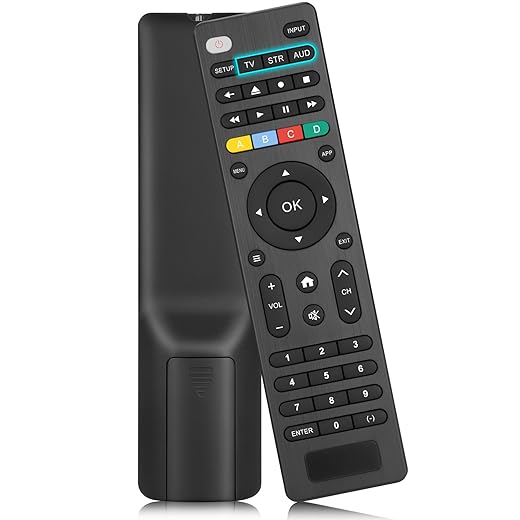
What matters most in practice isn’t raw spec sheets but features that save time: unified search across services, profile and watch‑history syncing, a single remote that controls TV volume and a soundbar, and reliable voice shortcuts (“Play my queue” or “Turn on movie mode”). Account linking can smooth sign‑in, but it can also complicate access if multiple household profiles get entangled—so we centralize purchases and keep a shared family account only when it helps.
Interoperability and DRM headaches
The messy reality: codec or DRM mismatches can force apps to drop to lower resolutions or disable features like Dolby Vision. If a device, app, or TV lacks HEVC/AV1 hardware decoding or Widevine L1/PlayReady support, a 4K stream can fall back to 720p. We recommend checking streaming services’ device compatibility pages before committing — that single missing codec often explains mysterious quality gaps.
Prioritized troubleshooting checklist
Buying checklist: budget, ecosystem, longevity
Why this systems view matters now: incremental spec wins don’t help if components don’t talk well. Deliberate pairing reduces daily friction and makes our setups age gracefully — which is what we want before we move on to the practical roadmap in the next section.
A practical roadmap for a better living‑room experience
We’ve shown that the streaming battle isn’t won by the highest spec sheet but by cohesion: a device that fits our apps and ecosystem, a predictable network (wired where practical), and TV/audio settings that respect the creator’s intent. That matters now because platforms fragment services and more content is HDR and high bitrate — mismatched gear reveals flaws, while a modestly tuned system delivers reliably better color, fewer stalls, and consistent upscaling.
Start with use cases, pick the device that lives in your ecosystem, stabilize connectivity, then calibrate picture and sound. That systems mindset saves money and frustration. Try these steps and you’ll notice the everyday upgrade faster than chasing headlines or raw specs. Make measured changes, not headline‑driven upgrades today.

Chris is the founder and lead editor of OptionCutter LLC, where he oversees in-depth buying guides, product reviews, and comparison content designed to help readers make informed purchasing decisions. His editorial approach centers on structured research, real-world use cases, performance benchmarks, and transparent evaluation criteria rather than surface-level summaries. Through OptionCutter’s blog content, he focuses on breaking down complex product categories into clear recommendations, practical advice, and decision frameworks that prioritize accuracy, usability, and long-term value for shoppers.







