


Why we still care about charging myths
Batteries are the single most user-facing limitation on modern phones and laptops, and charging habits shape daily experience, device design, and long-term value. We cut through the noise because myths persist across forums, manufacturer sites, and product reviews. Modern lithium chemistry plus smarter software means the rules of thumb from a decade ago no longer fit. That matters: it affects how long a phone looks and feels new, how manufacturers size batteries, and how ecosystems like Apple, Google, and Samsung manage charging.
Our goal is practical in this how-to guide. We debunk common misconceptions and point to tools, settings, and chargers that genuinely help prolong battery life. Expect clear guidance tied to real-world tradeoffs and the cell phone accessories you own.


Debunking Common Phone Battery Myths (What Really Happens When You Charge)
Myth: Keep it topped to 100% for best battery health
Why a full bar isn’t actually ideal
We like seeing 100 percent — it’s comforting. But lithium-ion chemistry prefers partial states of charge on a phone. Holding a cell at 100 percent for long periods, especially while warm (think nightstand next to a charger and a hot phone), accelerates the chemical reactions that reduce capacity over months and years. In plain terms: topping to 100% all the time trades short‑term convenience for faster long‑term wear.
Why manufacturers still show 100%
Manufacturers keep the full-percentage UI because users expect it. A full battery equals reassurance in retail photos and support calls. Instead of redesigning batteries or power bricks, companies have leaned on software: you’ll see “Optimized Battery Charging” on iPhones, Pixel and Samsung adaptive charging, and macOS battery health features that delay the final fill so your phone isn’t sitting at 100% all night.
Practical fixes we actually use
Small habits and inexpensive gear give most of the benefit without pain
When 100% is fine
Full charges make sense for travel, long meetings, or emergency scenarios. We recommend intentionally topping to 100% only when you need the range, and otherwise aiming for a daily window around 80–90%.
Next up in our chargers & cables guide: we’ll address the fast-charging panic — why speed doesn’t equal doom and how designs mitigate the tradeoffs.
Myth: Fast charging kills batteries outright
What fast charging actually does
We’ve all seen a phone jump from empty to half full in 20 minutes and assumed it must be wrecking the cell. Fast charging through a quality USB charger increases current early in the charge cycle to move energy quickly into the battery, which does produce more heat and electrochemical stress than a slow trickle. But modern phones and laptops don’t just let raw amps run wild — they shape the charge curve, throttle when things get warm, and hand off protection to smart battery-management systems. In practice, a 30–65W top‑up is far less catastrophic than the fearmongering implies.
Why ecosystem and design choices matter
Not all fast charging is the same. Proprietary systems on Samsung Galaxy phones and universal standards (USB Power Delivery — especially PPS) behave differently: some put heat in the charger, some in the device, some vary the voltage to cut stress. Engineers prioritize user expectations — instant battery gains — so they tune curves that deliver rapid early fill while reducing current as the cell nears 70–80%, where damage risk rises. Throttling and thermal controls are the real safety nets, not the headline wattage.
Practical rules we actually use
Fast charge sparingly for convenience; let system-level safety do the heavy lifting.
Myth: You should fully discharge periodically to 'calibrate' lithium batteries
Where that advice came from — and why it no longer applies
We all remember the old advice: run batteries dead once in a while to avoid a “memory.” That was real for nickel‑cadmium cells decades ago. Lithium-ion chemistry doesn’t have that memory. Deep cycles are one of the fastest ways to increase wear, so telling people to drain to zero as routine maintenance is actively harmful — especially for phones and ultraportables we rely on every day.
What “calibration” really means today
When people say “calibrate,” they usually mean fixing the phone’s state of charge (SoC) reporting — the software estimate of how much battery remains — not conditioning the cell. Reporting can drift because firmware, background services, or OS power‑management counters get out of sync. Manufacturers include occasional calibration routines for that reason; they’re software housekeeping, not electrochemical therapy.
How to tell the difference — and safe steps to fix reporting
We use these quick checks and steps when readings look off (random shutdowns, percent jumps)
Storage and long-term care
If you store gear, avoid both full charge and full discharge. Manufacturers recommend ~40–60% and a periodic top‑up. For bikes, cameras, or seasonal kit, use a smart maintainer or UPS-style solution to prevent cells falling into a damaging deep-discharge state — not to “exercise” them.
We’ve found that a light touch — monitoring tools plus occasional software calibration — keeps device meters truthful without putting the cells through needless stress.
Myth: Wireless charging is inherently worse for battery health
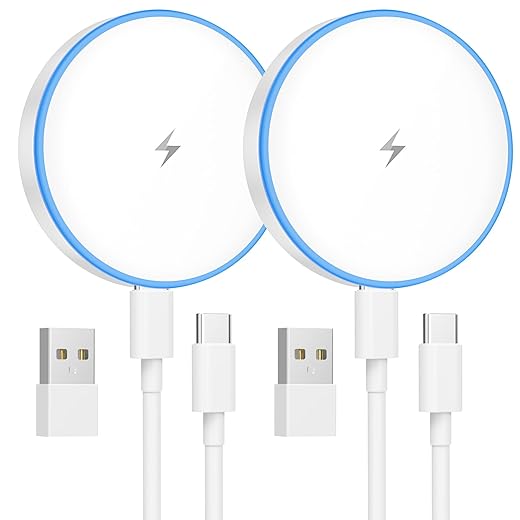
Wireless charging gets an unfair rap. Yes, inductive charging is less efficient and can generate more heat than a direct cable, but the gap has closed. Improvements in coil design, magnetic alignment (hello, MagSafe), and smarter firmware that throttles charge when temperatures climb mean wireless is no longer a simple “battery killer.” For many of us, the convenience of dropping a phone on a pad all day outweighs the small theoretical wear penalty — and it avoids mechanical wear on ports, which matters for longevity.
Why heat isn’t the whole story
We’ve seen pads that ran warm years ago; today, good units regulate output, run active or passive cooling, and communicate with phones to slow charge when getting hot. In practice, that means most top‑tier wireless chargers rarely push sustained high power into a phone once the battery hits ~80%, the same way wired fast chargers do.
Design choices that change the equation
Which wireless designs preserve battery life best? We focus on three practical factors
Practical tips and picks
For daily top‑ups use a ventilated stand or a MagSafe puck that snaps you into correct alignment (Anker 623 MagGo, Belkin BoostCharge Pro). For overnight or full recharge cycles, prefer wired fast charging to cut time at higher charge currents. In cars or furniture, integrated chargers that match the device ecosystem (Apple CarPlay/Android Auto partners, Qi‑certified mounts) generally manage heat better than bargain generic pads.
We’ve found the best compromise is hybrid thinking: wired for bulk fills, wireless for convenient top‑ups — a pattern that keeps batteries cooler overall and fits modern usage. Next, we’ll look at another persistent worry: does leaving a device plugged in overnight ruin the battery?
Myth: Leaving a device plugged in overnight will ruin the battery
Why it’s less of a problem now
We used to unplug at 100% like clockwork because trickle charging and dumb charge controllers could keep a battery at peak voltage for hours. Today’s phones and most laptops include smarter logic: they stop charging at 100%, allow the battery to float a bit below full, and — importantly — many platforms delay that final top‑up until close to your routine wake time. That design tradeoff gives us the convenience of overnight charging without the same steady high‑state stress that used to accelerate wear.
When it still matters
There are caveats that matter in the real world
Simple steps and gear
We recommend a few practical moves that keep convenience intact

These small tweaks and modest gear buys preserve battery health while keeping overnight charging hassle‑free — and they set us up to think about charger and cable choices next.
Myth: Any charger and cable will do — they're all basically the same
Charging is an ecosystem
We still hear “it charged, so the cable’s fine,” but charging is a negotiated conversation, not a dumb power push. The charger, the cable, the device’s firmware and the power-delivery protocol (PD, PPS, Quick Charge, vendor‑specific variants) all decide how quickly and safely energy flows. That negotiation shapes speed, heat, and ultimately battery wear — which means cheap or mismatched parts change the equation.
Why cables and chargers actually differ
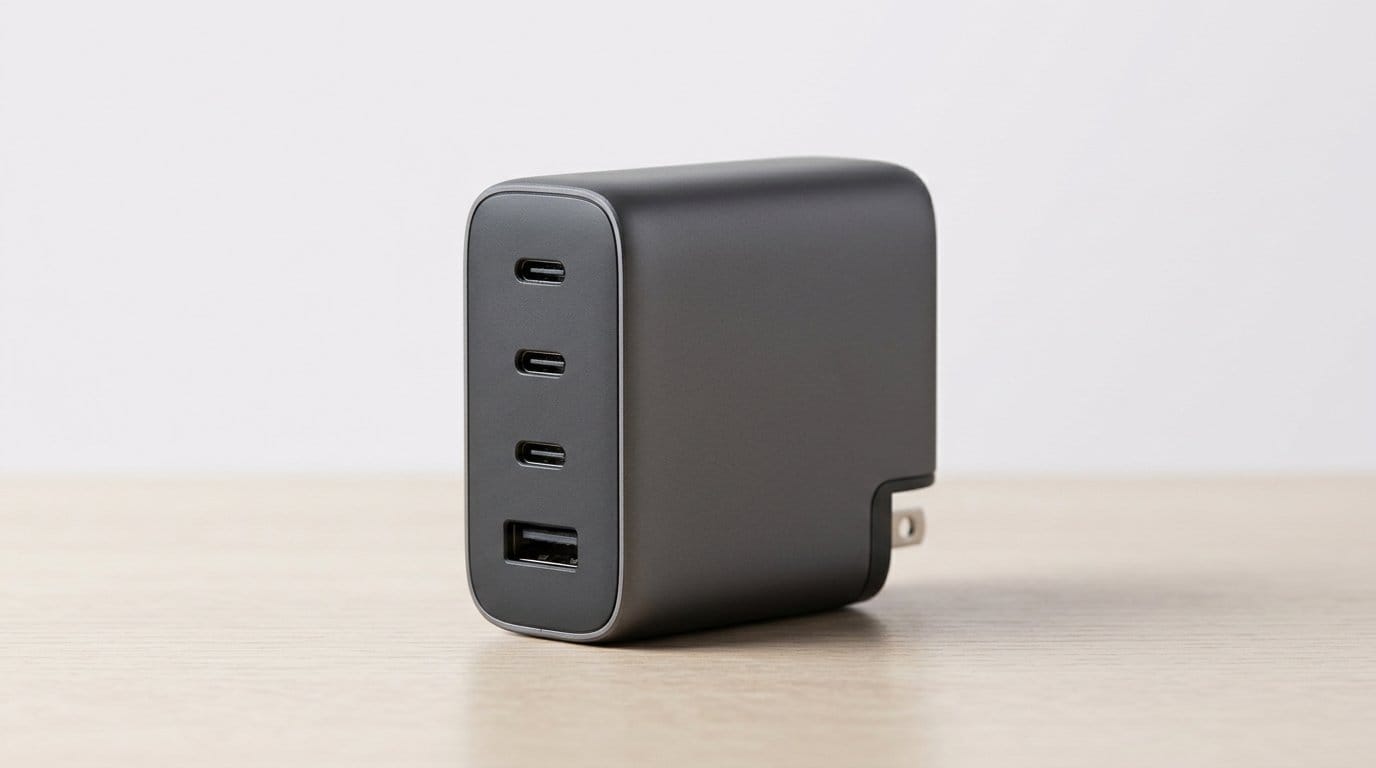
A thin, poorly made USB‑C cable can have higher resistance, causing voltage drop and extra heat in the cable and device. Higher temperature accelerates battery aging. Some fast‑charge systems also require special signaling or even proprietary cables (Oppo/OnePlus VOOC/Warp), so a “100W” generic cable won’t necessarily unlock a phone’s advertised top speed. And not all multiport chargers are equal: cheap bricks divide available wattage blindly, while smarter GaN chargers allocate dynamically and maintain efficient thermal profiles.

What to buy and what to avoid
We recommend real-world, simple rules that keep things fast and safe
Match charger capability to your device’s needs rather than chasing the biggest wattage number — a tiny phone won’t benefit from a 140W brick, but a laptop might. These choices are small upfront costs that reduce heat, keep charge profiles honest, and protect battery life — and they lead naturally into the practical takeaways and gear upgrades we cover in the Conclusion.
Practical takeaways and simple gear upgrades
We can avoid extreme charge states, prioritize temperature control, use certified chargers and cables, and lean on OS optimized charging when available. These steps respect device design and ecosystem trade-offs: manufacturers tune charging curves and software to balance longevity and performance, so aligning with that design beats micromanagement.
Adopt a small toolkit—quality USB‑C PD chargers, a reliable wireless pad, and a smart plug or two—and focus on convenience plus sensible defaults. We don’t need to baby batteries; we need to make a few informed choices that fit our daily routines. Start small, stay practical.
Frequently asked questions
What is the main point of “Charging Myths That Kill Battery Life—and the Gear That Helps”?
This piece explains where charging myths that kill battery life—and the gear that helps matters in real buying decisions—not just headline specs. We focus on trade-offs, who benefits most, and what to verify before you spend.
Who should read this charging myths that kill battery life—and the gear that helps guide?
Read it if you are actively shopping, upgrading, or trying to separate marketing claims from day-to-day use. Skip it if you already own the gear and are not planning a change this season.
What changed recently around charging myths that kill battery life—and the gear that helps?
Prices, firmware, and feature tiers shift quickly in this category. We call out what is new enough to affect your decision and what is incremental hype you can safely ignore.
How should I use this editorial when buying?
Treat it as context before you compare models: note the risks and priorities here, then cross-check specs and current pricing on the picks that match how you actually use the product.
What is easy to get wrong about charging myths that kill battery life—and the gear that helps?
Buyers often overweight one spec—brightness, speed, or brand—and underweight fit for their room, ecosystem, or warranty support. We flag the mismatch we see most often in reader questions.
Where should I go next after reading?
Use the related comparisons and top picks linked near the end of this article for model-level shortlists, then confirm return policies and compatibility with the devices you already own.

Iqra Jumar is Option Cutter's editorial writer. She writes practical editorials and buyer guides that focus on real-world upgrades—better Wi‑Fi, cleaner cable setups, smarter streaming, and everyday fixes—not spec-sheet noise alone. Her work helps readers decide what to change now, what to skip, and why.









