

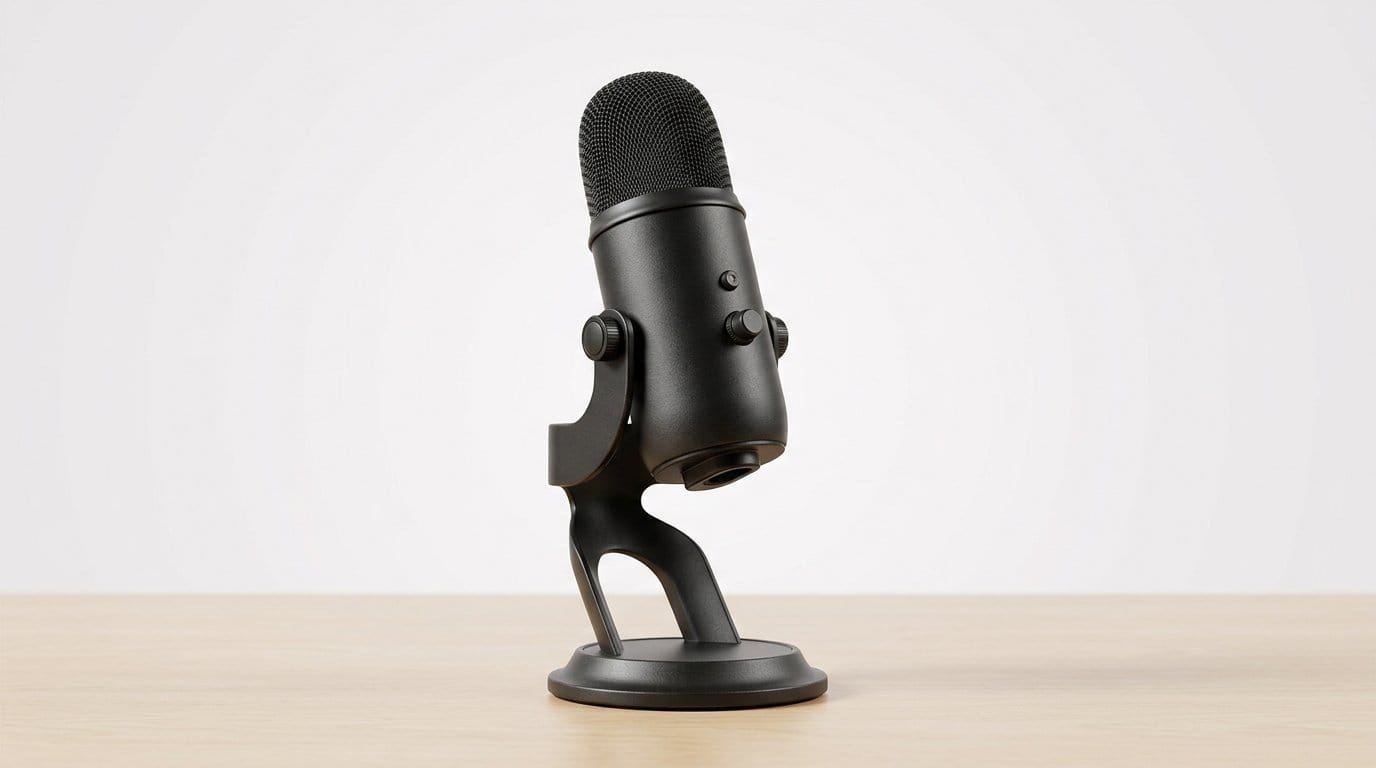

How to make Zoom calls sound noticeably better — without a mic boom arm
We often find people assume a full studio rig is the only way to improve call audio — our how-to guides start smaller. It isn’t. Microphone placement, room acoustics, and how your mic connects to your laptop or phone change what listeners hear far more than headline specs or flashy gear. We focus on practical wins you can achieve in a home office.
Our recommendations are trade-off driven and ecosystem-aware. We’ll favor upgrades that fit cluttered desks, work with Zoom and Teams, and pair cleanly with laptops, phones, or a simple interface. Expect choices based on real use—mobility, background noise, and minimal setup—not audiophile theory. Let’s get practical.



Improve Zoom Audio for Musicians: Clear, Rich Sound
A quick primer: what actually changes how you sound on a call
We lay out the fundamentals you need before you spend money. Think of this as the mental model we use when testing gear: types of mics, pickup patterns, how sensitivity and distance interact, and a compact rubric to match choices to desks without boom arms.
Mic types, briefly
Condenser mics (Blue Yeti, Rode NT-USB) are very sensitive and capture detail — great if your room is quiet and you can sit still. Dynamic mics (Shure SM58, ATR2100x-USB) are less sensitive and favor close talkers; they reject distant room noise better. Electret lavalier mics (Rode SmartLav+) are tiny, clip-on condensers with limited range but excellent consistency when attached to clothing.
Pickup patterns and what they mean
Cardioid is the most common for calls in our product reviews: it hears you in front and rejects behind. Omnidirectional picks up everything — useful if multiple people share a table, terrible in echoey rooms. Supercardioid/shotgun variants focus more narrowly but are finicky on placement.
Sensitivity, proximity, and room noise
Higher sensitivity = more room. The trick we learned: move a sensitive mic 50% closer rather than upgrading to a pricier model. A condenser 6 inches from your mouth often beats a “better” mic at 3 feet because direct sound overwhelms reflections and HVAC hiss.
Why a boom arm changes the calculus
Without a boom you’re limited to desk stands, clips, headsets, or lavs. That makes consistent placement and isolation more important than headline specs. A dynamic mic on a short desk stand or a lavalier clipped to your collar often nets better real-world audio than an expensive condenser shoved on a cluttered laptop desk.
Our quick buying rubric
This framework guides the specific picks we discuss next, depending on your desk, commute, and tolerance for fiddling.
USB desktop mics: the simplest upgrade that fits on a desk
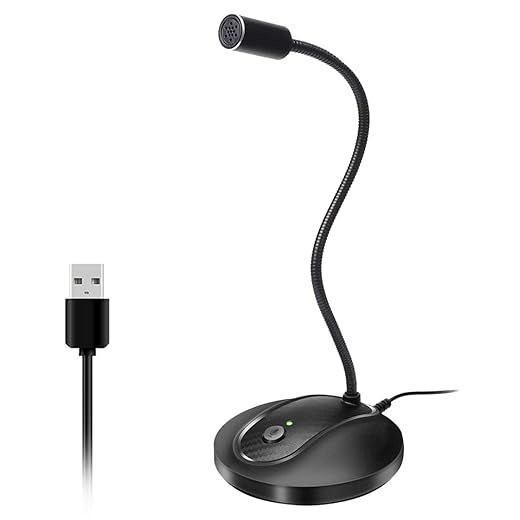
We move from the theory to the easiest real-world upgrade: plug-and-play USB desktop mics. These are compact cans or cylinders that sit on small tripods or integrated stands—great when a boom arm is off the table. They trade ultimate isolation for convenience: one cable, instant OS compatibility, and usually some on-board controls that actually change our day-to-day experience.
Design choices that matter to us
Desk-stand stability is where the rubber meets the road — pair with a stable webcam if video matters too. We’ve seen well-reviewed mics (Blue Yeti, HyperX QuadCast) lose points because a laptop tap or nearby typing makes them rattle. A small foam pad under the stand and a lightweight pop filter or foam windscreen dramatically reduces handling noise without a boom.
Ecosystem and workflow
USB mics in our headsets & microphones aisle win on simplicity: one cable, class‑compliant drivers on macOS/Windows, and often companion software that adds noise gates and EQ. That software advantage can make a cheap‑sounding mic feel polished. Compared to headsets and lavaliers, USB desktops give richer tone and easier control—but they’re less forgiving in noisy rooms.
Quick buying guidance and pairing
Best for clarity: Audio‑Technica AT2020USB or Blue Yeti (if your room’s quiet).Best for noisy rooms: dynamic-voiced USBs or a cardioid with a tight near-field position.Best for tiny desks: Rode NT‑USB Mini or compact FIFINE models.Must-have accessories: small pop filter, foam windscreen, rubber isolation pad, or a mini desktop shock mount.
Next, we’ll look at headsets and wireless earbuds—solutions that trade some tonal richness for unbeatable isolation and mobility.
Headsets and wireless earbuds: reliable, low-fuss audio for noisy or mobile use
Headsets and modern wireless earbuds are the pragmatic choice when desk space, background noise, or mobility matter. We’ll focus on the user experience: comfort, mic consistency, ecosystem fit, and the trade-offs between over‑ear, on‑ear, and in‑ear designs.
Why headsets usually win for meetings
With a fixed mic position (boom or close-fitting earbud), headsets give predictable pickup and far better background rejection than a desk mic sitting a foot away. In practice that means fewer “Can you hear me?” moments and cleaner recordings when children or traffic interrupt. Look for models with physical mute and a dedicated USB dongle—those two features solve most flaky bluetooth stack. Examples: Jabra Evolve2 65 / 85 for corporate workflows, Logitech Zone Wireless for hybrid setups, and Plantronics Voyager 5200 for phone-first use.
Earbuds vs over‑ear: real trade-offs
Tech and workflow tips that actually matter
Choose a headset when predictable mic placement and simple integration outweigh the cosmetic advantage of a desk mic.
Lavalier and clip-on mics: consistent voice pickup without desk clutter
We examine lavalier microphones—both wired and wireless—as an underrated choice for Zoom calls when a boom arm or large stand isn’t an option. A lapel mic keeps proximity consistent as you move, and with a few simple habits it can sound remarkably natural.
Why a lavalier sometimes beats a desk mic
Clipped to your collar or lapel, a lavaler keeps distance to the mouth steady, so room reflections and level swings disappear. In practice that means fewer volume boosts and a more intelligible voice when you stand up to point at a whiteboard or walk to a second camera.
Wired vs wireless: simplicity vs freedom
Wired lavs win for plug‑and‑play reliability—no batteries, no pairing, no sync drift. Wireless packs give freedom to move and look more professional on camera, at the cost of slightly more setup and potential RF or latency quirks.

Placement, clothing, and tonal tweaks
Small changes matter
Connectors, power, and ecosystem compatibility
Know your plugs: TRS lavs expect a camera/mic input; TRRS versions are phone‑friendly; USB or USB‑C receivers plug straight into laptops. Wireless packs often use USB‑C charging and provide a USB or lightning receiver. Battery life, auto‑pairing, and latency specs matter wave.
Small accessories that punch above their weight
When to pick a lav and when not to
Choose a lav if you move, want a clean consistent voice, or need zero desk clutter. Skip it if you want the richer tonal control of a large-diaphragm desktop mic or if wardrobe choices make consistent placement impossible.
Going pro without a boom: short desk stands, dynamic XLR mics, and interfaces
Why dynamics on a short stand make sense
If we want broadcast-level tone without mounting a boom, dynamic XLR mics are the practical path. Dynamic capsules are less sensitive to room reflections and far more forgiving of background noise than condensers—so a Shure SM58 or SM7-style pattern on a short desktop stand captures a clean, forward voice without magnifying HVAC or keyboard clicks. In real life, that means fewer plugins and less post-call embarrassment.
Interfaces: more control than USB
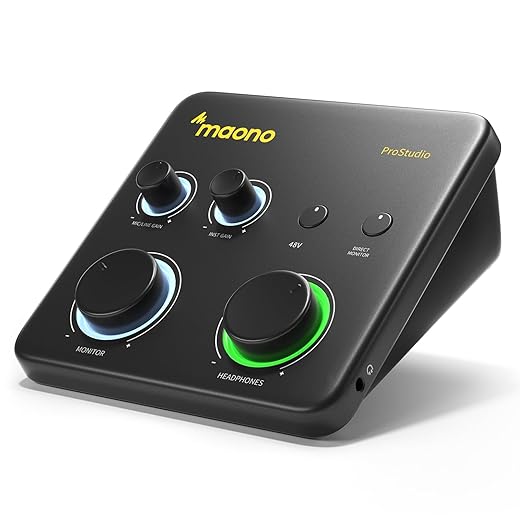
An audio interface gives us true hardware control: physical gain knobs, zero-latency headphone monitoring, and cleaner preamps than many USB mics. It also opens software routing (aggregate devices, loopback mix to feed Zoom, local recording to DAW) and driver options (ASIO/Core Audio) that cut latency and improve stability compared with USB-only gear.
Complexity and ecosystem trade-offs
Going XLR adds cables, potential drivers, and decisions about phantom power (only for condensers). Some dynamics—SM7B famously—need a clean preamp or an inline gain booster (Cloudlifter) to hit usable levels. That extra box and XLR cable length affect desk layout and budget. Drivers and routing are a small learning curve, but the sonic payoff—richer tone, less room bleed—is tangible.
Design and practical tips
Short stands save space but pick a heavy base or low-center design; heavy mics on tiny bases wobble. Use a shock mount or a Sorbothane pad to tame desk vibration. Keep the mic 6–12 inches from your mouth for presence; use a pop filter if you’re close.
Quick buyer checklist
Next, we’ll look at room treatment and small accessories that often do more for call clarity than swapping mics.
Room treatment and accessories that matter more than an extra microphone
Start with the room — it’s the biggest payoff
We often tell people: swap the carpet for a rug, pull a bookcase into the background, or hang a few inexpensive panels before buying another mic. Reflections and reverb smear clarity; reducing them raises intelligibility more than a pricier capsule. In a quick test we did, adding a 5×7 rug and a filled bookshelf behind the speaker cut perceived echo and made dialogue sound 20–30% clearer — listeners reported fewer “huh?” moments than when we compared two different desktop mics.
Portable treatments that actually get used
If you can’t alter walls, choose portable, renter-friendly fixes
These solutions are cheap, reversible, and visible — which helps people actually install them.

Small hardware wins that outpace mic swaps
A few inexpensive accessories punch above their weight
A solid clamp and pad keep a desk mic steady and clean, which matters more than a marginally better capsule.
Software, firmware, and monitoring
Built-in mic DSP (Blue VO!CE, Elgato Wave Link), noise-suppression apps (Krisp, RNNoise), and a little EQ in your Zoom audio settings can transform raw sound. We recommend monitoring with closed-back headphones and making small EQ cuts around 300–500 Hz to reduce muddiness.
Design, adoption, and rental realities
People choose fixes they can live with. Sleek panels, fabric-wrapped absorbers, or a decorative rug are more likely to stay up in shared homes. Prioritize portability, non-destructive mounts, and aesthetics — you’ll actually keep them installed.
Next, we’ll pull this together into one-page buying guidance so you can shop confidently.
What to buy, in one page
Start with the pain: background noise — choose a closed-headset or dynamic mic; inconsistent placement — grab a lavalier; simple, clean upgrade — a USB desktop condenser. Prioritize clarity, noise rejection, ease of setup, and ecosystem fit (phone, laptop, audio interface). Design and portability matter: headsets win for mobile use, lavaliers for hands‑free video, USB mics for desktop simplicity.
After that, add acoustic treatment (a rug, a foam panel) and real‑time monitoring. Test on a Zoom call: mute, unmute, move 6–12 inches from the mic, and adjust gain until vocals are clear without clipping. Repeat until satisfied. Then buy what feels right today.
Frequently asked questions
What is the main point of “What to Buy to Improve Zoom Call Sound (No Mic Boom Arm)”?
This piece explains where what to buy to improve zoom call sound (no mic boom arm) matters in real buying decisions—not just headline specs. We focus on trade-offs, who benefits most, and what to verify before you spend.
Who should read this what to buy to improve zoom call sound (no mic boom arm) guide?
Read it if you are actively shopping, upgrading, or trying to separate marketing claims from day-to-day use. Skip it if you already own the gear and are not planning a change this season.
What changed recently around what to buy to improve zoom call sound (no mic boom arm)?
Prices, firmware, and feature tiers shift quickly in this category. We call out what is new enough to affect your decision and what is incremental hype you can safely ignore.
How should I use this editorial when buying?
Treat it as context before you compare models: note the risks and priorities here, then cross-check specs and current pricing on the picks that match how you actually use the product.
What is easy to get wrong about what to buy to improve zoom call sound (no mic boom arm)?
Buyers often overweight one spec—brightness, speed, or brand—and underweight fit for their room, ecosystem, or warranty support. We flag the mismatch we see most often in reader questions.
Where should I go next after reading?
Use the related comparisons and top picks linked near the end of this article for model-level shortlists, then confirm return policies and compatibility with the devices you already own.

Iqra Jumar is Option Cutter's editorial writer. She writes practical editorials and buyer guides that focus on real-world upgrades—better Wi‑Fi, cleaner cable setups, smarter streaming, and everyday fixes—not spec-sheet noise alone. Her work helps readers decide what to change now, what to skip, and why.









