


Why we regret the tech we buy (and how we can avoid it)
We buy because of hype, specs, or a slick ad. Then the device fits our life less than we expected. We chase marginal upgrades and pay for ecosystems we never fully use.
Across five common categories — flagship phones, cheap wireless earbuds, overcomplicated smart-home gear, fitness trackers and smartwatches, and overpriced laptops and gaming rigs — the same mistakes repeat. We prioritize specs over experience, ignore long-term costs, and underestimate how design and integration shape daily use.
In the sections that follow we explain why those choices feel right at the point of sale, why they fail later, and offer practical alternatives that favor real-world value today.


5 Tech Purchases I Regret (And 5 I Don’t) – What I’d Buy Next
Flagship phone upgrades that give us diminishing returns
Why we keep swapping
We buy new flagships because the ads promise leaps: better cameras, faster chips, a “must-have” feature. But much of what changes year to year is incremental. Prestige, carrier trade-in deals, and the illusion that a one- or two‑year‑old phone is “obsolete” push us to upgrade sooner than our actual needs require. We’ve seen people chase benchmark numbers that never show up in their daily apps — email, maps, messaging, and occasional photos.
Real-world UX: what actually matters
In everyday use, small things dominate: battery life at the end of a long day, ergonomics for one‑hand use, and how smoothly the phone ages under software updates. A camera that’s +10% better in low light sounds exciting, but if battery life drops by 20% after heavy use, the trade-off hurts us more. Before upgrading, ask: will this change the things we do daily, or just improve marketing metrics?
Design choices that hurt resale and repairs
Design trends like glossy glass backs, glued‑in batteries, and proprietary fasteners make midlife repairs harder and resale value worse. Phones with sealed assemblies often require a full‑panel swap for a battery change, which increases e‑waste and costs us later. Check repairability, battery replacement options, and whether the vendor sells parts or allows third‑party repairs.
Ecosystem friction and total cost of ownership
Platform lock‑in — iMessage, AirPlay, accessory ecosystems (MagSafe chargers, proprietary docks) — turns a “nice-to-have” phone into a linchpin of our daily setup. Once we’ve bought cases, chargers, and cloud subscriptions, switching becomes costly. Total cost of ownership includes accessories, repair, and subscription costs, not just the headline price.
Better alternatives and simple rules
A true flag‑ship upgrade makes sense for a broken primary device, a clear workflow leap (pro‑level video/photo needs), or when a new feature solves a specific daily pain. Next, we’ll look at another common regret: cheap wireless earbuds that fail where it matters most.
Cheap wireless earbuds that fail where it matters most
The promise and the crash
We buy budget true wireless earbuds for freedom — no cord, pocketable charging case, decent sound on the commute. What too often happens: flaky Bluetooth, tiny batteries that die mid‑commute, one‑ear dropouts during calls, and muffled voice pickup. Those five‑star listings brag about “60‑hour case life” but don’t tell you the buds themselves last 2–3 hours at real‑world volumes. We’ve lost calls, missed directions, and re‑paired the same pair three times in a week.
The usual user‑experience failures
Why fit and driver tuning matter more than specs
Specs — driver size, Hz range — don’t predict how pleasant music or calls will be. Fit does. A poorly sealed silicone tip kills bass and ruins clarity; foam tips or winged designs often transform the same driver into something enjoyable. Driver tuning is another silent weapon: companies that invest in tuning (Sony, Jabra, Apple) produce earbuds that sound balanced without cranking EQ. In practice, a comfortable, stable earbud with modest tuning beats a flashy spec sheet every time.
Software, firmware, and ecosystem fit
The companion app is part of the product. Firmware updates fix Bluetooth glitches, add multipoint pairing, and refine ANC tuning. If a brand abandons updates after launch, you inherit bugs. Also check codec compatibility: iPhones work best with AAC; Android users benefit from aptX/LDAC for lower latency and higher bitrate audio. Multipoint pairing is useful only if it’s seamless — otherwise it becomes another frustrating toggle.
How we shop smarter today
For long flights, replaceable‑battery over‑ear ANC or reputable secondhand true wireless can be better buys depending on your primary use.
Overcomplicated smart-home purchases that make life harder, not easier
The trap: automation as impulse buy
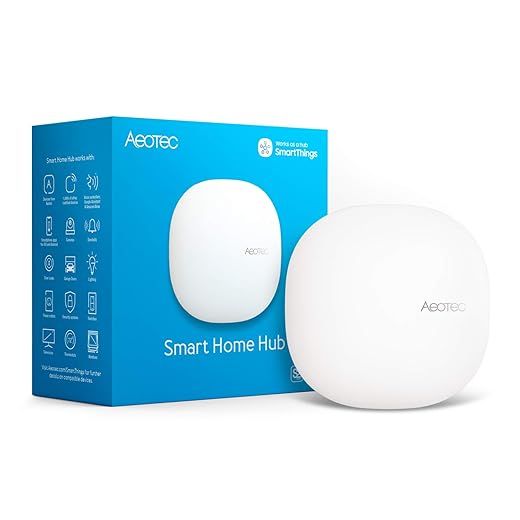
We’re seduced by the fantasy of a fully automated home — lights that anticipate us, cameras that watch the perimeter, a thermostat that “just knows.” What often happens is the opposite: a patchwork of vendor apps, flaky automations that fail at 3 a.m., and a creeping cloud-dependency that turns simple tasks into support tickets. Platform fragmentation and proprietary hubs make adding one new device feel like rebuilding the whole system.
Where the experience breaks down
Start with practical rules
Map the one or two pain points you actually want fixed (get lights off in the hallway at night; avoid false security alerts) and solve those first. Pick a single ecosystem that matches the devices you already own: HomeKit if you’re deep in Apple, Google for Android/Chromecast users, or a Matter-aware setup if you want cross-platform flexibility. Favor products that advertise local control or support open standards.
Good alternatives to one-off “smart” everything
When to pay for commercial services
A paid cloud or commercial hub makes sense if you need professional monitoring, advanced rules across dozens of devices, or a polished multi-user app. For most homes, steady, local-first devices and three meaningful automations are far more satisfying than an endless roster of “smart” gizmos.
Fitness trackers and smartwatches that don’t match how we move
Why we bail on trackers
We buy fitness trackers and smartwatches for big promises — better sleep, accurate heart-rate zones, fewer excuses to skip workouts — and then stop wearing them. The reasons are boring and human: they chafe after a few hours, they die midweek because we forgot to charge, or the heart-rate graph spikes for no reason during a spin class. Those frustrations aren’t cosmetic; they break the implicit contract between product claims and our daily habits.
Design trade-offs that actually matter
Most marketing focuses on features; our experience hinges on trade-offs.
These trade-offs determine whether a device becomes part of our routine or a drawer-bound novelty.
Pick the device that fits the primary use case
We start by naming the single thing the device must do well — sleep tracking, casual step reminders, triathlon metrics — and choose accordingly. Minimal trackers for step-and-sleep give weeks of battery and near-zero friction. Hybrid analog-smart watches (think Withings ScanWatch) satisfy style-minded users with basic tracking. Garmin and Polar’s sport watches win for athletes who need repeatable, robust metrics.

For training accuracy, we don’t trust wrist-only HR for interval work — use strap-based sensors like the Polar H10 or Wahoo Tickr, which pair with watches and deliver consistent zone data.
Data portability and privacy: don’t ignore the ecosystem
Ecosystems matter. Apple Watch + iPhone gives seamless Health integration; Garmin funnels rich workout files into Garmin Connect and Play Store tools; Fitbit historically locked data behind its cloud. Before buying, check:
If you care about coaching, pick a platform that lets you move your data — or one with a robust third-party sync community.
We can avoid the usual regrets by matching device form and platform to how — and how often — we actually move, which brings us to the next kind of purchase where behavior and specs collide.
Overpriced laptops and gaming machines that ignore real trade-offs
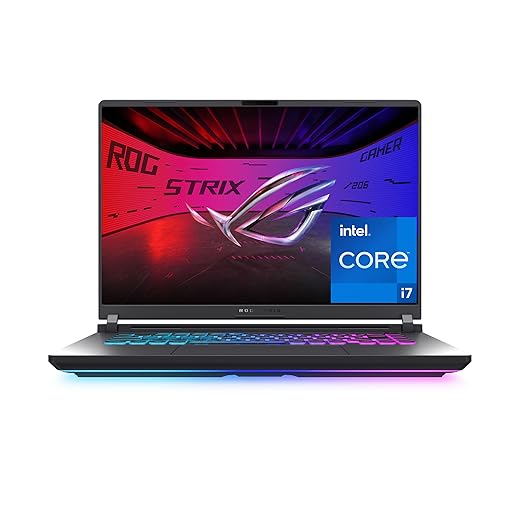
We chase spec sheets: highest clocks, maxed GPUs, and 240Hz panels. But in everyday life, those headline numbers often trade away the things we actually touch — battery life, keyboard comfort, silent thermals, and the ability to repair or upgrade. Here’s how those trade-offs play out, and how to avoid buyer’s remorse.
Where the spec chase hurts day-to-day use
Thin-and-light chassis with desktop-level GPUs look sexy, but they burn battery and scream under load. Thick thermal designs keep sustained performance and lower fan noise, but they add weight and bulk. A high-refresh panel feels snappier, yet many of us never use 240Hz outside of esports; we’d benefit more from an IPS panel with accurate color for content work or better power efficiency for travel.
New realities that change the math
Cloud gaming (GeForce NOW, Xbox Cloud Gaming) and game streaming reduce the need for top-tier local GPU horsepower for many players. Last-generation processors and GPUs often deliver 80–90% of the real-world performance of the newest chips at a far lower price. External GPUs and Thunderbolt docks let us pair an ultraportable with desktop-class graphics at home, shifting the portability-versus-power equation.
Practical buying rules we follow
When to still spend top dollar
Paying for flagship hardware makes sense for professionals who need guaranteed, sustained throughput (3D artists, large-video renders) or for desktop-replacement gamers who never unplug. If we fall into that camp, we buy with eyes open: check service options, extended warranties, and how easily the machine can be repaired.
Next, we’ll pull these buying lessons together into practical principles to help us stop shopping on impulse and start buying for the long run.
How we buy better: principles over impulse
We stop chasing specs and marketing and instead identify the problem we’re solving, test devices for real-world fit, and ask whether a feature will matter day-to-day. Prioritize UX, ecosystem compatibility, repairability, and software longevity over novelty; favor refurbished or last‑generation models when they deliver the same experience for less.
When we value reliability and design trade-offs, purchases become tools, not regrets. Buy deliberately, keep what works, and skip what’s merely flashy and sensible.

Chris is the founder and lead editor of OptionCutter LLC, where he oversees in-depth buying guides, product reviews, and comparison content designed to help readers make informed purchasing decisions. His editorial approach centers on structured research, real-world use cases, performance benchmarks, and transparent evaluation criteria rather than surface-level summaries. Through OptionCutter’s blog content, he focuses on breaking down complex product categories into clear recommendations, practical advice, and decision frameworks that prioritize accuracy, usability, and long-term value for shoppers.








