

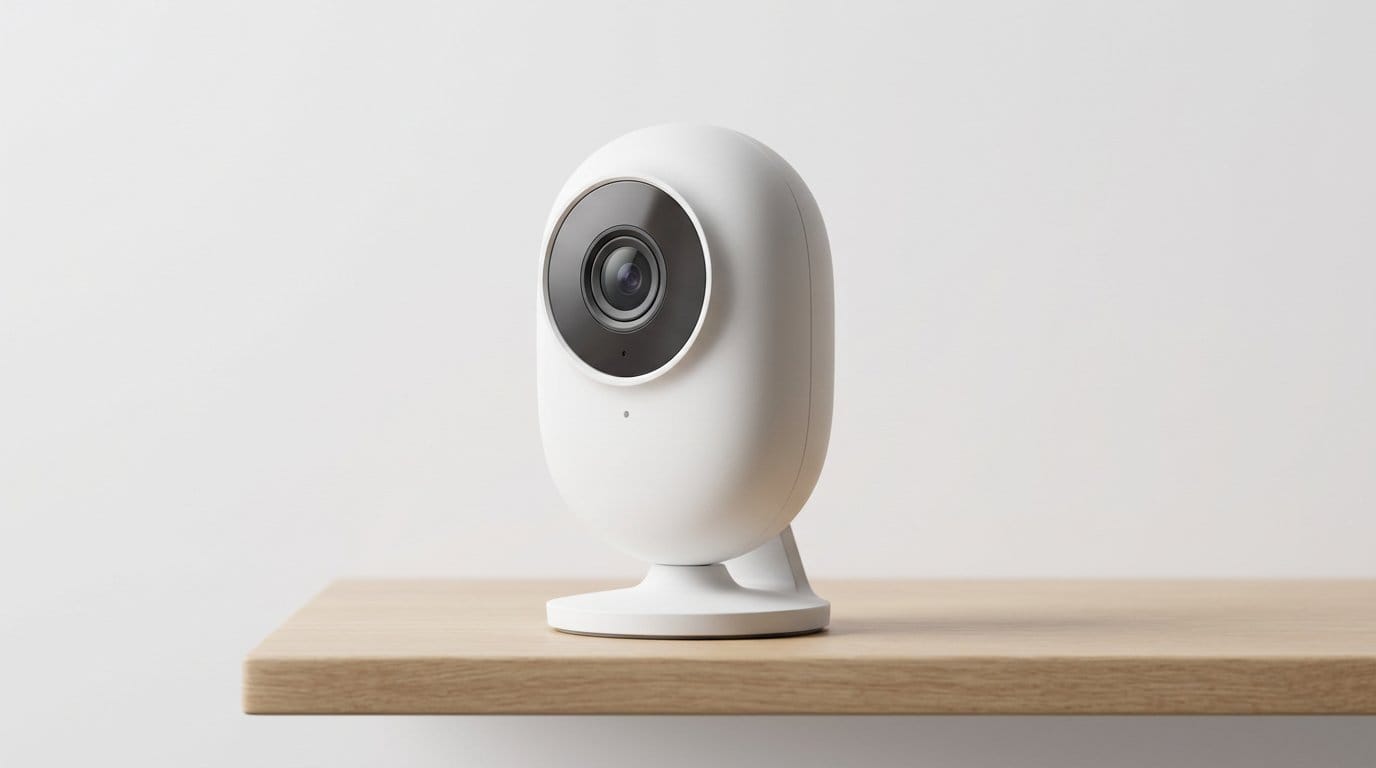

Can a camera protect without announcing itself? Spoiler: yes — and it can even look like decor.
We hate the ‘tactical’ look. You shouldn’t need a military-grade aesthetic to feel safe at home. Picture a nursery, a living room, or a tidy rental shelf — you want protection that blends in, not hardware that screams surveillance.
We tested indoor cams that favor subtle design, smart software, and sensible privacy choices. Some lean on cloud smarts and tight ecosystem hooks. Others keep the processing local. Understanding that trade-off matters now more than ever — read the FTC home-security camera privacy guide before you pick a model.
Top Picks





Google Nest Cam Wired (Gen 3) — 2K
We were impressed by the camera’s 2K HDR image and Google’s Gemini‑powered contextual alerts that turn raw video into actionable summaries. It integrates tightly with Google Home, but that strength also means the best features are subscription‑locked and lean on Google’s ecosystem.
What sets this camera apart
We look at this camera as a premium, intelligence‑first indoor camera. The 2K HDR sensor gives noticeable improvements in highlight and shadow handling, and Google’s Gemini integration aims to turn hours of footage into short, searchable summaries that actually help you find moments faster.
Strengths in everyday use
Tradeoffs and considerations
The best parts of the experience — face learning, extended event history, and advanced detection — come with Google Home Premium. If you plan to use those features, the subscription fee is a meaningful part of the ownership cost — know your rights to cancel under the FTC subscription-cancellation rule before you enable cloud tiers. We also noticed that manual scrubbing can be less forgiving than older Nest interfaces, so finding unflagged events might be harder without good zones or the subscription previews.
Final perspective
If you’re deeply embedded in Google’s smart home and want best‑in‑class image quality plus AI summaries, this camera is worth the premium. For people who want local‑first control or want to avoid subscriptions entirely, a different model will be less costly over time.
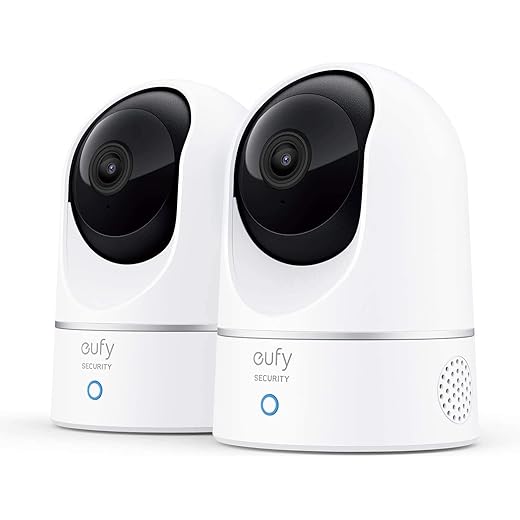
Eufy Indoor Cam E220 — 2K PTZ
We like how this model balances higher resolution with thoughtful privacy and on‑device intelligence: 2K video, smooth pan/tilt tracking, and on‑device human/pet detection reduce false alerts. It’s a particularly good fit if you want crisp footage without mandatory cloud subscription fees.
How the Eufy E220 fits in the market
We tested this camera as a mid‑range option for people who want sharper footage and dependable on‑device smarts without being forced into a subscription ecosystem in our indoor cameras lineup. The design is compact and domestic — it blends into a shelf or entry table rather than looking like surveillance equipment.
Key features and why they matter
What to expect in daily use
In our experience the pan/tilt mechanism is responsive and the app offers sensible presets for automated patrols. The camera’s plug‑in requirement means placement is tied to outlets, and Apple HomeKit’s limitations (reduced resolution in some modes) are worth considering if you’re committed to that ecosystem — compare with whole-home security plans if you need consistent resolution across rooms.
Who this is for
If you want better‑than‑1080p image quality, on‑device AI, and seamless integration with mainstream smart‑home platforms, this model is an excellent middle ground. It’s ideal for people who want a polished, unobtrusive camera that won’t draw attention but still yields usable forensic detail when needed.
Wyze Cam Pan v3 — 1080p Pan/Tilt
We found a feature set that punches well above its price: wide pan/tilt coverage, color night vision, and local-storage options make it a versatile everyday camera. The app is easy to use and the camera’s non‑tactical, compact look fits in living rooms and nurseries without announcing itself.
Why we looked at this camera
We approached this model expecting a budget product and came away impressed by how many typically premium features Wyze squeezed into a small, unobtrusive package. The design is intentionally domestic — rounded, compact, and far from tactical — which is why it fits seamlessly into living rooms, nurseries, and entryways.
What it does well
Real-world benefits and limits
We appreciated the two‑way audio and a built‑in spotlight/siren combo that provides active deterrence without needing a chunky, military‑style body. That said, the sensor is 1080p, so if you need to zoom in for license plates or small details, higher‑resolution cameras will serve you better. Also, while it’s IP‑rated for outdoor use, the camera’s portability and the need for an outdoor power adapter make it shine most indoors.
Practical takeaways
Arlo Essential 2K — Indoor Camera
We value the automated privacy shield and solid 2K video as features that help this camera blend utility with discretion. The camera’s interface and integrations are familiar and reliable, although many advanced cloud conveniences require a paid plan.
Where this camera sits in a typical smart home
We approached the Arlo Essential as a privacy‑forward indoor camera meant for people who want a clean design and sensible defaults. The automated privacy shield is a differentiator for households worried about constant recording, and the camera’s look remains understated — which is exactly what we want from a camera sitting in a playroom or bedroom.
Standout features
Practical notes and ecosystem tradeoffs
Arlo’s app is polished and their cloud-based extras (package detection, person/vehicle recognition over time) are useful, but they’re gated behind a subscription. For users who want the privacy shield and crisp video without paying for advanced long‑term cloud storage, Arlo works well as a single indoor camera. If you plan to depend heavily on cloud detection features, factor subscription costs into your decision.
Who should consider this camera
We recommend this for families who want a discreet, privacy‑minded indoor camera with robust live view and alerting. If you prefer local‑first storage or want to avoid recurring fees altogether, look for alternatives that emphasize microSD or local network recording.
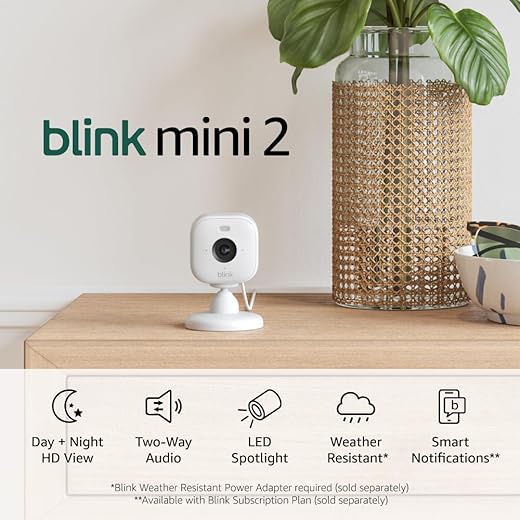
Blink Mini 2 — Compact 1080p Camera
We appreciated its quick setup, small footprint, and decent 1080p performance for day‑to‑day monitoring. It’s an economical, low‑profile option if you want something easy to deploy and forget about, though advanced alerts and long‑term cloud storage are subscription features.
What we liked about the Mini 2
We view this model as a pragmatic consumer camera: compact, low cost, and just good enough for everyday monitoring. The build is small and neutral, which helps it disappear into a shelf or entry table without drawing attention.
Notable practical features
Tradeoffs worth knowing
If you need battery operation or long standalone recording without the cloud, this isn’t the right Mini variant. The camera is plug‑in only, and the spotlight can create glare in certain placements (for example, pointed at a window). Subscriptions unlock intelligent person detection and longer history, so decide whether you want to pay extra for those features.
Where it fits
For renters and casual users who want a discreet camera to check on the dog, an older relative, or a baby room on occasion, the Blink Mini 2 is an easy, low‑risk buy. It’s not the highest technical performer, but it’s a sensible, unassuming choice for many households.
Ring Indoor Cam 2‑Pack — 1080p Set
We like that the 2‑pack lowers the per‑camera cost for basic home coverage and keeps the same compact, unobtrusive design as the single unit. Value is good for Alexa users, but subscription costs for extended recording still apply if you want cloud history.
Why choose the 2‑pack
If your priority is coverage rather than a single high‑resolution sensor, the 2‑pack is an easy way to add discrete cameras to multiple rooms without making a statement. Both units retain the same understated industrial design so they won’t read as tactical in a living space.
How it performs day‑to‑day
The ecosystem equation
The convenience of Echo integration and simple setup is attractive, but buyers should budget for ongoing subscription costs if they want the cloud history and advanced alerts. For households already committed to Amazon, that tradeoff often makes sense; for those who aren’t, it’s worth comparing local‑first alternatives.
Our take
This bundle is a pragmatic pick for Alexa homes that need simple, low‑profile cameras in multiple rooms. It’s a value play rather than a tech‑heavy choice — and that’s precisely where it’s strongest.
Ring Indoor Cam — 1080p Compact
We find this to be a straightforward, affordable choice for customers already invested in Amazon’s ecosystem. The physical privacy cover and Advanced Pre‑Roll are convenient, but full functionality and longer playback rely on Ring Protect subscriptions.
Who this camera is built for
We see this camera as an entry‑level option for households that already use Alexa and Echo devices. Its compact, neutral aesthetic means it stays out of the room’s visual hierarchy — exactly the goal for cameras that shouldn’t look tactical.
Practical feature set
What you trade for convenience
Ring’s ecosystem is convenient if you already use Amazon devices, but meaningful features like extended video history, people detection, and continuous recording are behind the Ring Protect paywall. That means the out‑of‑box experience is minimal unless you subscribe. There have also been broader policy and privacy conversations around Ring that buyers should be aware of when choosing this product.
Bottom line
We recommend this camera if you want simple Alexa integration and a compact, low‑profile indoor camera. If you want subscription‑free local storage or avoid cloud dependence, consider alternatives that emphasize local recording.
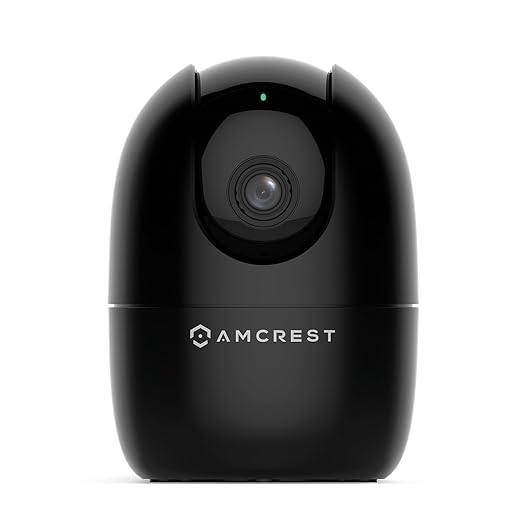
Amcrest 4MP ProHD — Feature‑Rich PTZ
We like that this camera exposes LAN and HTTP access and supports a wide array of local recording options — ideal for users who want to avoid cloud lock‑in. The hardware and image quality are solid, but the setup and app experience are less polished than consumer‑focused rivals.
The power‑user proposition
This Amcrest unit is aimed at people who want control. Unlike a lot of consumer cameras that push you into their cloud, this camera exposes local networking options and supports common standards like RTSP — making it attractive for folks running Blue Iris, Synology, or a local NVR.
Why the imaging and connectivity matter
Practical downsides
The tradeoff for that flexibility is setup complexity and a less refined app experience. We found the initial configuration easier if you’re comfortable with networking concepts; it’s not the best pick for someone who wants an app‑only, zero‑config install. Some users have also reported firmware stability issues over long periods.
Who should pick this camera
If you’re a technically minded user who values local control, NAS integration, and a bigger image sensor at a reasonable price, this camera is compelling. If you want a consumer experience that just works with minimal fuss, consider a more mainstream brand.
Amcrest ASH21‑B — 1080p PTZ Camera
We appreciate the camera’s VOX baby‑monitor mode and on‑chip human‑detection that can operate without cloud dependency. It’s an affordable, feature‑dense option if you want pan/tilt tracking and flexible sharing across family members.
What this camera aims to solve
We see this model as an approachable, family‑focused camera for people who want more than a static lens. The VOX baby‑monitor mode that triggers on audio thresholds and the local AI human detection are very useful for parents and pet owners who need relevant alerts rather than a flood of motion notifications — see CPSC video baby-monitor safety tips if you are monitoring a nursery.
Feature highlights
Where it falls short
The lack of 5GHz Wi‑Fi support limits throughput and can be a nuisance in crowded networks. The app is competent but not as slick as mainstream consumer offerings, and feature differences between local recording and cloud services can be confusing to new users.
Bottom line
For parents or pet owners who want PTZ coverage, local AI detection, and a flexible array of recording options, this camera is a practical pick. If you need the cleanest app experience or dual‑band Wi‑Fi, look at other models.
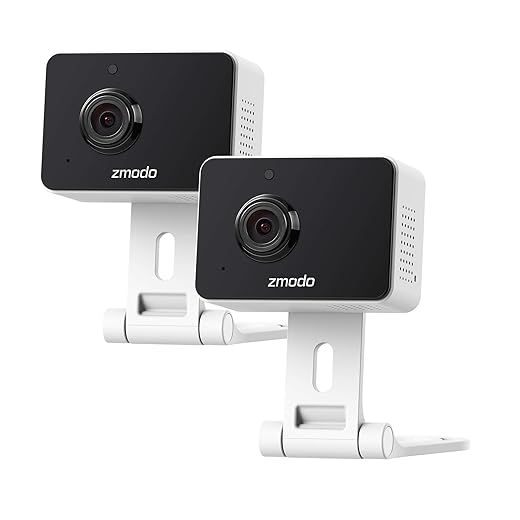
Zmodo Mini Pro — 1080p Pet Camera
We found it to be a competent, inexpensive way to add basic monitoring to a home, especially in a two‑camera pack. The two‑way audio, night vision, and simple app are useful, but support and motion‑detection reliability vary across user reports.
Where this camera fits in the lineup
Zmodo’s Mini Pro is positioned for budget‑minded buyers who want basic two‑way audio, night vision, and a compact camera that won’t dominate a room visually. The 2‑pack option makes it attractive for covering two rooms without paying more for higher‑end hardware.
What you get for the price
Practical limitations
The biggest compromises are in reliability and support: some customers report connection or setup challenges and mixed experiences with manufacturer assistance. The intelligent alerting that distinguishes people from pets is convenient, but it’s typically a subscription feature — which undermines the low up‑front cost if you want those capabilities.
Final thoughts
If you need inexpensive, unobtrusive cameras to keep an eye on pets, a nursery, or a second living space, this is a plausible budget pick in our Security Cameras & Surveillance hub. Buyers seeking dependable motion analytics, long retention without recurring fees, or enterprise‑level support should consider higher‑tier alternatives.
Final Thoughts
We recommend the Google Nest Cam Wired (Gen 3) as our Top Picks winner for people who want the smartest, most context-aware indoor camera and who already live in the Google ecosystem. Its 2K HDR image and Gemini-powered contextual alerts turn raw clips into concise, useful summaries — a real time-saver when you don’t want to scrub hours of footage. The camera’s clean, minimalist design blends into a shelf or entryway, and its deep Home integration makes automations and voice control seamless. Note: the best features are behind a Google subscription, so pick this if you value advanced AI summaries and convenience more than strictly avoiding cloud fees.
If you prioritize privacy, local processing, and getting crisp footage without being nudged into a subscription, the Eufy Indoor Cam E220 is the right call — pair it with our smart-home security checklist for network hardening. It pairs 2K resolution with on-device human and pet detection and smooth pan/tilt tracking, so you get accurate alerts and sharp video without sending everything to the cloud. The experience feels more self-contained — ideal for renters, privacy-minded households, or anyone who wants strong performance without ongoing costs.
Both choices prioritize understated design and real-world usability: pick Nest for smarter, ecosystem-first monitoring; pick Eufy for private, no-nonsense coverage that stays out of your cloud — both live in our Smart Home, Security & Wi‑Fi shop when you are ready to compare.
Frequently asked questions
How did we pick these indoor security cameras that don’t look tactical options?
We shortlist models that balance performance, reliability, and value for typical buyers—not just the highest spec sheet. Hands-on notes, owner feedback, and return/warranty policies all feed the ranking.
Which indoor security cameras that don’t look tactical pick is best for most people?
Start with our top overall choice if you want the safest balance of price and features. Move up or down the list only when a specific need—budget, ecosystem, or a must-have feature—clearly applies to you.
Do prices on this indoor security cameras that don’t look tactical list change often?
Yes. Retailers run frequent promos, so use the live price buttons on this page and compare shipping and return windows before checkout—the best deal is not always the lowest sticker price.
Should I buy the cheapest indoor security cameras that don’t look tactical on the list?
Only if the trade-offs fit your use case. The budget pick can be excellent value, but check what you give up in build quality, software support, or key features you will use every week.
What if none of these indoor security cameras that don’t look tactical picks fit?
Use the comparison and guide links on this page to narrow by size, platform, or feature, then revisit the list with your must-haves written down—forcing a mismatch creates more returns than savings.
How often is this indoor security cameras that don’t look tactical roundup updated?
We refresh rankings when major models launch or pricing shifts enough to change the value story. Check the publish date at the top and compare current specs if you are reading months later.

Princess Rioboca is the Lead Editorial Writer at Option Cutter, bringing over seven years of hands-on experience in consumer technology journalism. Specializing in home networking and smart home architecture, she transforms complex technical data into practical, real-world upgrades. Princess personally tests and audits every product she reviews—evaluating real-world Wi‑Fi throughput, cable management durability, and streaming ecosystem stability—to filter out spec-sheet noise. Her rigorous, field-tested insights are designed to give readers transparent, unbiased buying advice on what to purchase, what to skip, and exactly why.














