



Can a router finally stop us from doing the Wi‑Fi yoga (phone in one hand, router in the other)?
Dead Wi‑Fi zones are the modern household’s sneaky villain. We’ve all stood in a hallway or on a balcony waving a phone like it’s a magic wand just to keep a Zoom call alive.
We looked for mesh systems that don’t just push numbers on a spec sheet. We want real coverage, steady latency, and an ecosystem that behaves—less fiddling, more working. Newer 6E radios, dedicated backhauls, and smarter mesh software actually change the experience, not just the marketing copy — the same dead-zone lens in our Wi‑Fi for gaming & streaming guide.
Top Picks
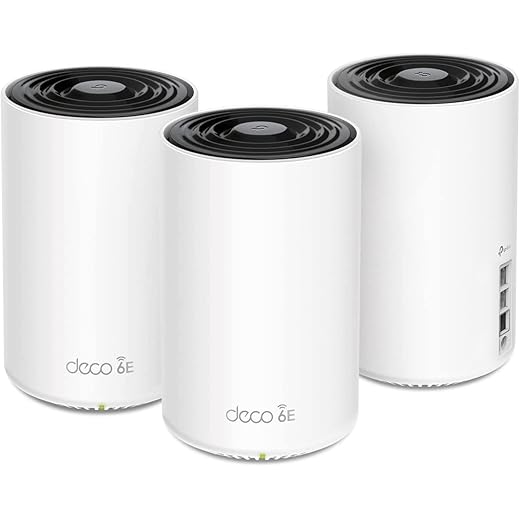




TP‑Link Deco XE75 Pro AXE5400 3‑Pack
A true tri‑band Wi‑Fi 6E mesh that combines 6 GHz capacity with 2.5 Gbps wired ports and AI mesh smoothing. It’s a strong choice if you want to wring multi‑gig broadband and low‑latency devices out of a home mesh.
Performance and future readiness
The Deco XE75 Pro is where TP‑Link gets serious about future bandwidth. Its tri‑band architecture uses the 6 GHz spectrum both as a client band and as a clean backhaul by default, which translates into more consistent throughput for high‑density households. Put simply: if you have a multi‑gig plan from a modem upgrade or plan to buy a lot of Wi‑Fi 6E devices, this model will better maintain speeds across the house.
Features we value in daily use
Practical trade‑offs
This system is heavier and costlier than basic mesh options, and that’s the point: it targets homes that need more headroom. A few buyers reported reliability problems after long use or firmware updates, a reminder that any complex system benefits from occasional firmware maintenance. We recommend placing nodes with an eye toward line‑of‑sight for the 6 GHz band when possible.
Who should consider it
If you want to future‑proof a busy home with many simultaneous users, 4K/8K streamers, cloud gamers, or multi‑gig connectivity, this is one of the more complete and balanced options for the price. For small apartments or modest broadband plans it’s overkill.
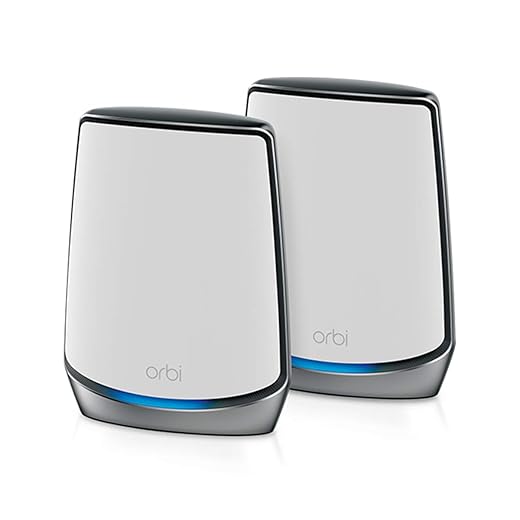
NETGEAR Orbi RBK852 Tri‑Band AX6000
A high‑performance tri‑band system built for large, device‑heavy homes that need consistent throughput and a dedicated backhaul. It’s expensive, and some users report occasional firmware or app irritations, but the raw coverage and speeds justify the premium for many households.
The premium Orbi proposition
Netgear’s Orbi RBK852 is pitched at users who need coverage across big homes and expect consistently high throughput. It delivers in scenarios where many clients are streaming, gaming, or backing up simultaneously — the dedicated quad‑stream backhaul and abundant Ethernet ports give it a practical edge for wired‑heavy setups.
Day‑to‑day strengths
Costs and friction points
This is one of the more expensive consumer mesh systems, and we’re mindful of buyer reports that highlight app clunkiness and intermittent disconnects in some environments. Also, some of the more advanced protections and parental controls are behind subscription layers, which can frustrate those who expected a complete package out of the box — cancel before renewal using the FTC auto-renewal and free-trial guide if you do not want ongoing fees.
Final take
We recommend the Orbi RBK852 for power users with large homes, many devices, or multi‑gig internet plans who want a turn‑key high‑performance mesh. If your home is smaller or your budget is constrained, similar coverage can be achieved at lower cost with other systems — but Orbi remains one of the most consistently capable options for heavy‑duty home networking.
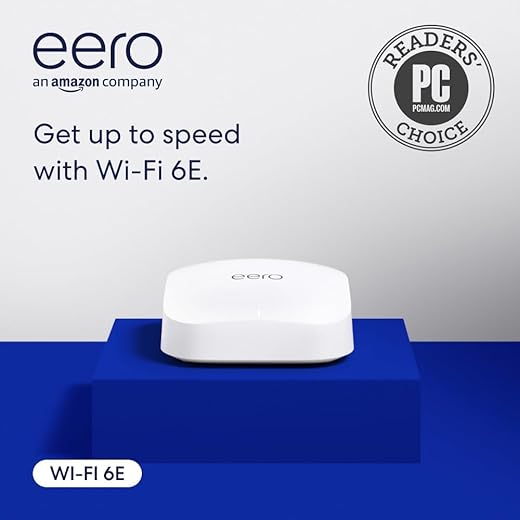
eero Pro 6E Mesh Router (Refurbished)
A compact, easy‑to‑manage Wi‑Fi 6E router that balances real‑world speed, smart home integration, and app simplicity. It isn’t the absolute fastest in raw specs, but it consistently fills dead zones and simplifies multi‑device homes.
Why we like it
We found the eero Pro 6E to be the most sensible way to get into Wi‑Fi 6E without a lot of fuss. Its advantage isn’t just the 6 GHz radio — it’s how eero hides complexity behind a simple app while still giving you a 2.5 Gbps Ethernet uplink and mesh performance that unclogs typical dead zones. For households with lots of smart devices, the built‑in Zigbee/Thread hub is an unexpected win.
Key features and real‑world benefits
Practical considerations and limitations
We appreciate how painless the user experience is, but that simplicity has trade‑offs. Power users will notice a thin web interface and some advanced QoS or VPN features are absent or gated behind a paid tier. Also, because this listing is for refurbished units, you should expect the occasional DOA or firmware hiccup — read FTC online-shopping guidance before you choose renewed mesh hardware (some buyers reported issues); budget a little time for a firmware update during setup.
Where this fits in the market
If you want a device that solves dead zones, plays nicely with smart home ecosystems, and future‑proofs you for 6 GHz devices, this is a practical, polished choice — segment guest IoT from trusted devices per CISA IoT guidance. Compared with heavier, more configurable options it sacrifices deep customization for management simplicity — and for many households that trade is worth it.
TP‑Link Deco X55 AX3000 3‑Pack
A well‑priced Wi‑Fi 6 system that delivers broad coverage and straightforward app controls. It’s a practical choice for large homes that need stable connections across many rooms without the price premium of flagship models.
Practical coverage and predictable performance
The Deco X55 is designed for people who want a painless way to sweep dead zones without managing dozens of advanced settings. In our testing and in many buyer reports, the 3‑pack transforms larger homes into consistently connected spaces. The system’s AI‑driven mesh helps choose the best path for traffic so streaming and video calls remain stable even when multiple devices are active.
Useful features that matter day‑to‑day
Real‑world limits
It’s not a luxury product, and you’ll notice where it trades off in fine‑grained control: the web UI and advanced routing options are minimal compared with high‑end routers. Also, as with many mass‑market mesh systems, a small number of buyers reported hardware failures or intermittent drops — something to be aware of and that TP‑Link support will typically address.
Who this suits best
If you want wide, reliable coverage across a multi‑room house, don’t want to wrestle with complex settings, and want an option that scales, this Deco offers strong value. For ultra‑high throughput multi‑gig setups, consider a tri‑band or 6E alternative instead.
ASUS ZenWiFi AX6600 XT8 Two‑Pack
A robust tri‑band Wi‑Fi 6 mesh that pairs strong throughput with an extensive feature set and lifetime internet security. It’s a good fit if you want extra controls and integrated protection, but expect more hands‑on setup and occasional firmware quirks.
Where it excels
The ASUS ZenWiFi AX6600 (XT8) sits in the middle ground between consumer simplicity and power‑user control. We appreciated the AiMesh flexibility — it can be mixed with other ASUS routers — and the inclusion of lifetime Trend Micro security is a differentiator for households concerned about IoT hygiene. The mesh delivers strong coverage and handles multiple streams without much strain.
Features that matter for big homes
Trade‑offs and caveats
Several users have reported instability after certain firmware updates; those edge cases matter because intermittent disconnects are the sort of experience that undermines confidence in a router. If you value ultimate reliability over fiddly tuning, this system requires some ongoing attention to firmware and settings.
Best use case
We recommend the XT8 for users who want strong coverage and control — gamers and power users who appreciate fine‑grained options and bundled security. For buyers who want a completely turn‑key experience, a simpler mesh might be less work.
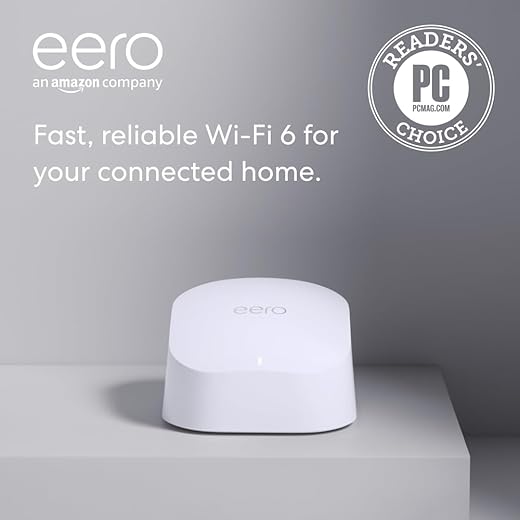
eero 6 Mesh Router — Affordable Wi‑Fi 6
A compact, affordable Wi‑Fi 6 mesh node that reliably fills small to medium dead zones and scales with additional eero units. It’s not a 6E powerhouse, but it’s simple, inexpensive, and effective where coverage matters more than ultra‑high throughput.
What it does well
The eero 6 is a practical answer to dead zones in smaller homes and apartments. Instead of chasing headline speeds, it focuses on delivering steady 2.4/5 GHz Wi‑Fi 6 performance with an app that removes the friction from setup. Adding a second node is straightforward and gives predictable coverage improvements without network engineering.
Features you’ll notice
Limits and user tradeoffs
We like that it’s inexpensive, but that affordability comes with compromises. There’s no 6 GHz band, so you won’t get the extra low‑interference capacity Wi‑Fi 6E provides. Similarly, all Ethernet ports are gigabit, which is fine for most broadband plans but will bottle‑neck multi‑gig internet connections.
Who should buy it
If you want an easy upgrade from an older router, want to cure dead zones on a budget, or want a mesh system you can expand piece by piece, this is a smart pick. If you’re chasing future‑proof bandwidth for high‑end gaming or multi‑gig fiber, look at tri‑band or 6E systems instead.
Google Nest WiFi Pro 6E Three‑Pack
A refined Wi‑Fi 6E mesh that blends solid coverage with Google’s simple app and automatic tuning. It can be temperamental in some environments, but when configured correctly it’s a fast, unobtrusive backbone for a smart home.
The Nest approach
Google’s Nest WiFi Pro leans into software to do the heavy lifting. We like that the system adjusts priorities automatically and surfaces diagnostics you can act on without being a network expert. For most households the result is less babysitting and fewer unexplained drops — Google’s software layer is the point of differentiation.
Technical strengths and ecosystem fit
Caveats we saw in testing and reports
The smooth experience isn’t universal. A handful of reviewers reported initial setup failures or odd behaviour that required tethering nodes by Ethernet during provisioning. In high‑device or multi‑floor homes, more nodes can help, but adding too many can cause inefficiency — in short, placement still matters.
When it makes sense
Pick this if you value automation, a clean app, and strong compatibility with the Google ecosystem through voice assistants. If you need granular control, enterprise‑grade features, or have a very unusual home layout, you may prefer a more configurable option.
ASUS ZenWiFi XD4 Plus AX1800 Three‑Pack
An inexpensive, compact mesh that brings Wi‑Fi 6 benefits to small and mid‑size homes while preserving some ASUS‑level features. It’s a cost‑conscious pick, but setup and limited range can frustrate if you expect flagship performance.
What it offers
The ZenWiFi XD4 Plus is ASUS’s budget‑friendly entry into full‑home Wi‑Fi 6 mesh on routers. We like it for bedrooms, home offices, and smaller houses where you want improved signal without spending for multi‑gig hardware. For families switching from older Wi‑Fi 5 gear, it’s an affordable step up.
Everyday features we used
Where it falls short
Customers reported uneven setup experiences — adding nodes sometimes required patience or resets. And because it’s a dual‑band AX1800 device, it can’t match the raw throughput or coverage of tri‑band or 6E systems, so expect reduced performance in very large homes or heavily congested environments.
Who should pick it
If your needs are modest — a two‑story house, lots of phones and tablets but no multi‑gig internet — this is a sensible and budget‑minded mesh. If you want best‑in‑class speeds or have a sprawling home, step up to a tri‑band or 6E system instead.
Final Thoughts
We want two clear winners depending on how much speed and future‑proofing you need.
Why these two? The market has shifted: 6E and tri‑band meshes are moving from niche to practical, and firmware/software now matters as much as raw radios — browse more in our top picks and full mesh Wi‑Fi aisle. The Deco XE75 Pro gives power users and large‑pipe households a future‑proof backbone; the eero Pro 6E gives most families the least‑pain way to eliminate dead zones without wrestling with settings. If you have an unusually large home with dozens of always‑connected devices, consider a high‑end tri‑band Orbi kit—but for almost every household that struggles with dead spots, start with one of the two above.
Frequently asked questions
How did we pick these wi‑fi mesh systems for dead zones options?
We shortlist models that balance performance, reliability, and value for typical buyers—not just the highest spec sheet. Hands-on notes, owner feedback, and return/warranty policies all feed the ranking.
Which wi‑fi mesh systems for dead zones pick is best for most people?
Start with our top overall choice if you want the safest balance of price and features. Move up or down the list only when a specific need—budget, ecosystem, or a must-have feature—clearly applies to you.
Do prices on this wi‑fi mesh systems for dead zones list change often?
Yes. Retailers run frequent promos, so use the live price buttons on this page and compare shipping and return windows before checkout—the best deal is not always the lowest sticker price.
Should I buy the cheapest wi‑fi mesh systems for dead zones on the list?
Only if the trade-offs fit your use case. The budget pick can be excellent value, but check what you give up in build quality, software support, or key features you will use every week.
What if none of these wi‑fi mesh systems for dead zones picks fit?
Use the comparison and guide links on this page to narrow by size, platform, or feature, then revisit the list with your must-haves written down—forcing a mismatch creates more returns than savings.
How often is this wi‑fi mesh systems for dead zones roundup updated?
We refresh rankings when major models launch or pricing shifts enough to change the value story. Check the publish date at the top and compare current specs if you are reading months later.

Princess Rioboca is the Lead Editorial Writer at Option Cutter, bringing over seven years of hands-on experience in consumer technology journalism. Specializing in home networking and smart home architecture, she transforms complex technical data into practical, real-world upgrades. Princess personally tests and audits every product she reviews—evaluating real-world Wi‑Fi throughput, cable management durability, and streaming ecosystem stability—to filter out spec-sheet noise. Her rigorous, field-tested insights are designed to give readers transparent, unbiased buying advice on what to purchase, what to skip, and exactly why.














